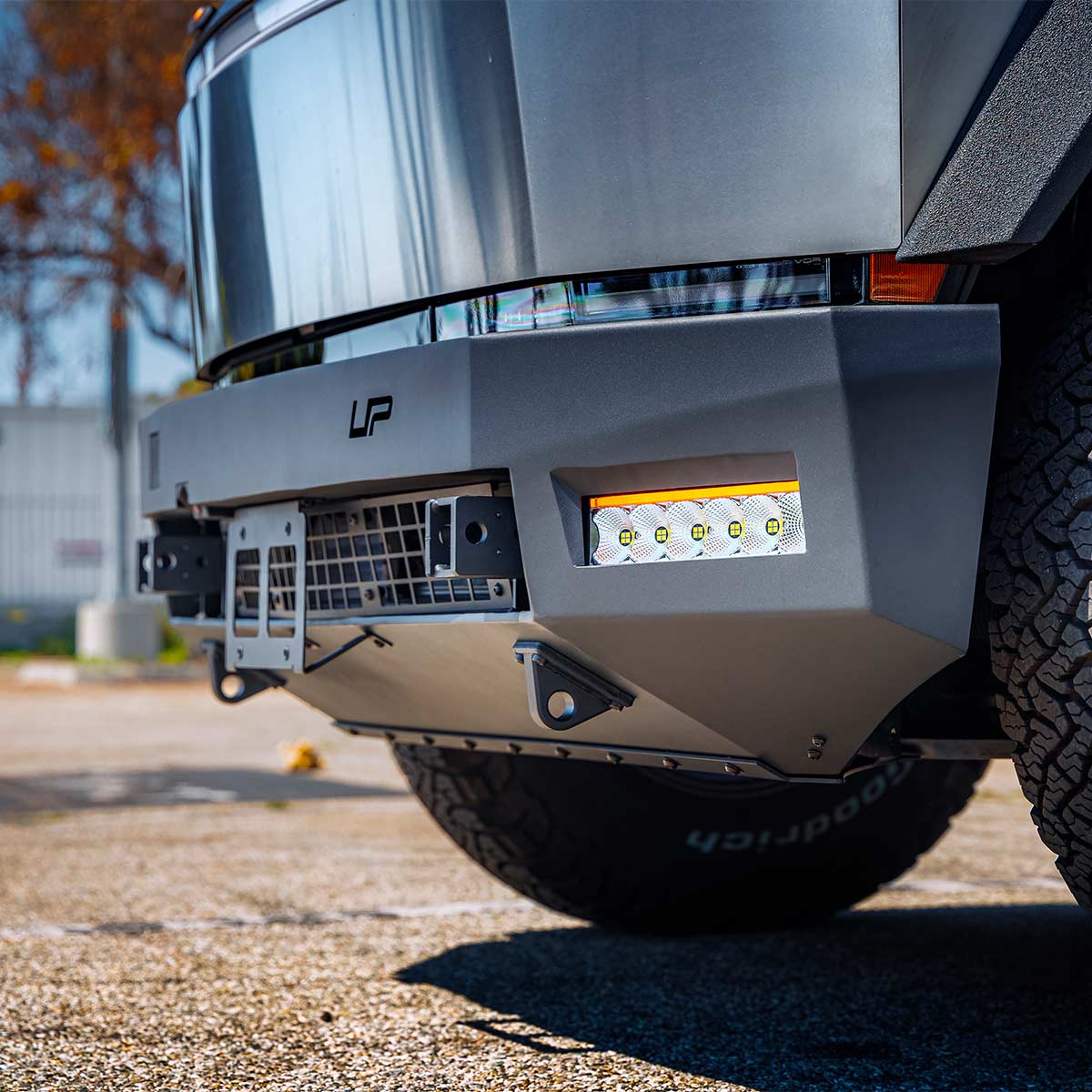
TESLA CYBERTRUCK UP INVINCIBLE®
HD Front Bumper
INSTALLATION GUIDE
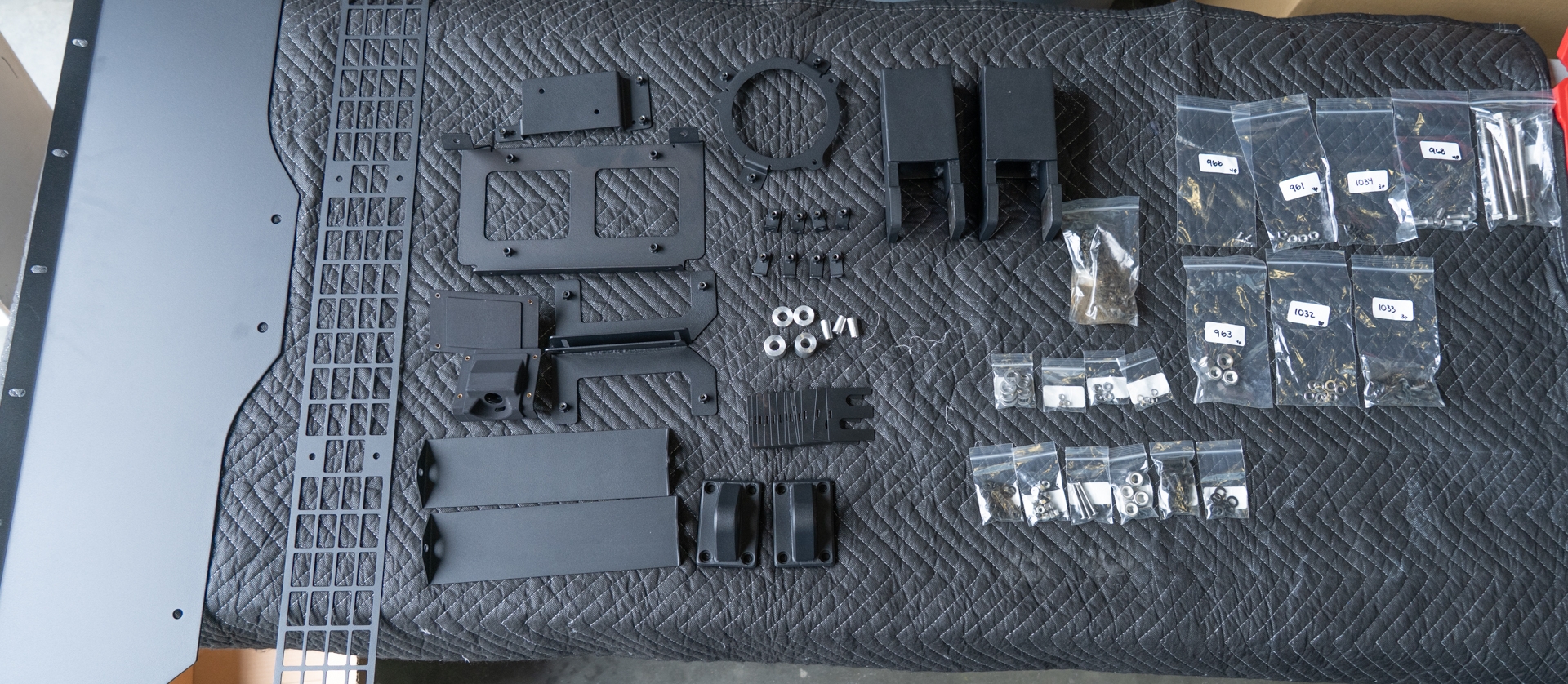
NOTE: Most factory hardware will not be re-used unless specified. However, be sure to keep all factory hardware until the final install is complete.
- Clip removal tool
- Pry tool
- 8mm socket
- 10mm socket
- 15mm socket
- 19mm socket
- 24mm socket
- 10mm end wrench
- 15mm end wrench
- 19mm end wrench
- T8 torx bit
- T10 torx bit
- T20 torx bit
- T25 torx bit
- 3mm allen key
- 4mm allen key
- 5mm allen key
- Torque wrench
- Wire strippers
See individual steps for specific torque specs.
By installing or using this product, you understand and agree with the following: If you do not agree, do not proceed with the installation and return this product within 30 days for a full refund of the purchase price from the company from which you have purchased it.
- I understand and agree that this product is intended to be installed for use on private roads and in jurisdictions where the use of this product is deemed legal by the local authorities. Furthermore, I understand and agree Unplugged Performance does not have any knowledge or control of regulations in my local jurisdiction, and it is up to me to determine if the product is acceptable for use with my vehicle.
- I understand that Unplugged Performance has done testing of this product on road and on closed racetracks but does not have the ability to test the vehicle for localized standards and regulations.
- I understand and agree that if the vehicle manufacturer determines that any Unplugged Performance products have contributed to a problem with the vehicle it may affect the vehicle’s warranty. Furthermore, I understand and agree that Unplugged Performance has no duty nor ability to be involved in internal manufacturer decisions.
- I understand and agree that if this product is given to an installer for installation on my vehicle, I have read and agreed with all the previous, even if I am not personally installing these parts on my vehicle. Furthermore, I understand and agree that this product should be installed by a trained professional that is familiar with both the vehicle as well as this product. Furthermore, I understand and agree that I and/or my chosen installer will follow the installation instructions carefully and dutifully test the vehicle post-installation in a safe and controlled environment to ensure proper operation.
- I understand and agree that by installing this product Unplugged Performance and all associated persons and entities as well as the vehicle manufacturer and all associated entities must be held harmless in the event of any suit, damages, or other legal action. Furthermore, I hereby release Unplugged Performance and any associated entities from any and all liability for any potential claim or claims.
If you do not agree with any of the above statements, you should return the product immediately. For more information please see our Terms and Conditions
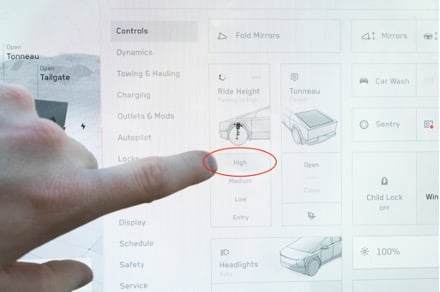
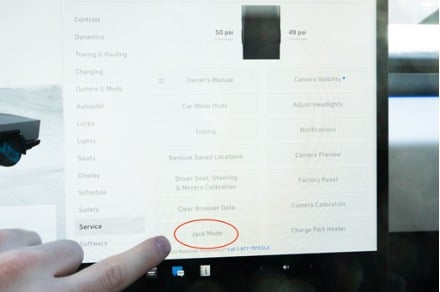
Place the truck in the highest setting and place the truck into jack mode. This is a safety measure to make sure that the ride height does not change while servicing the vehicle, while also providing additional clearance to some necessary access points.
Remove 4 push clips from each front fender liner that secure the factory bumper cover to the fender liners.
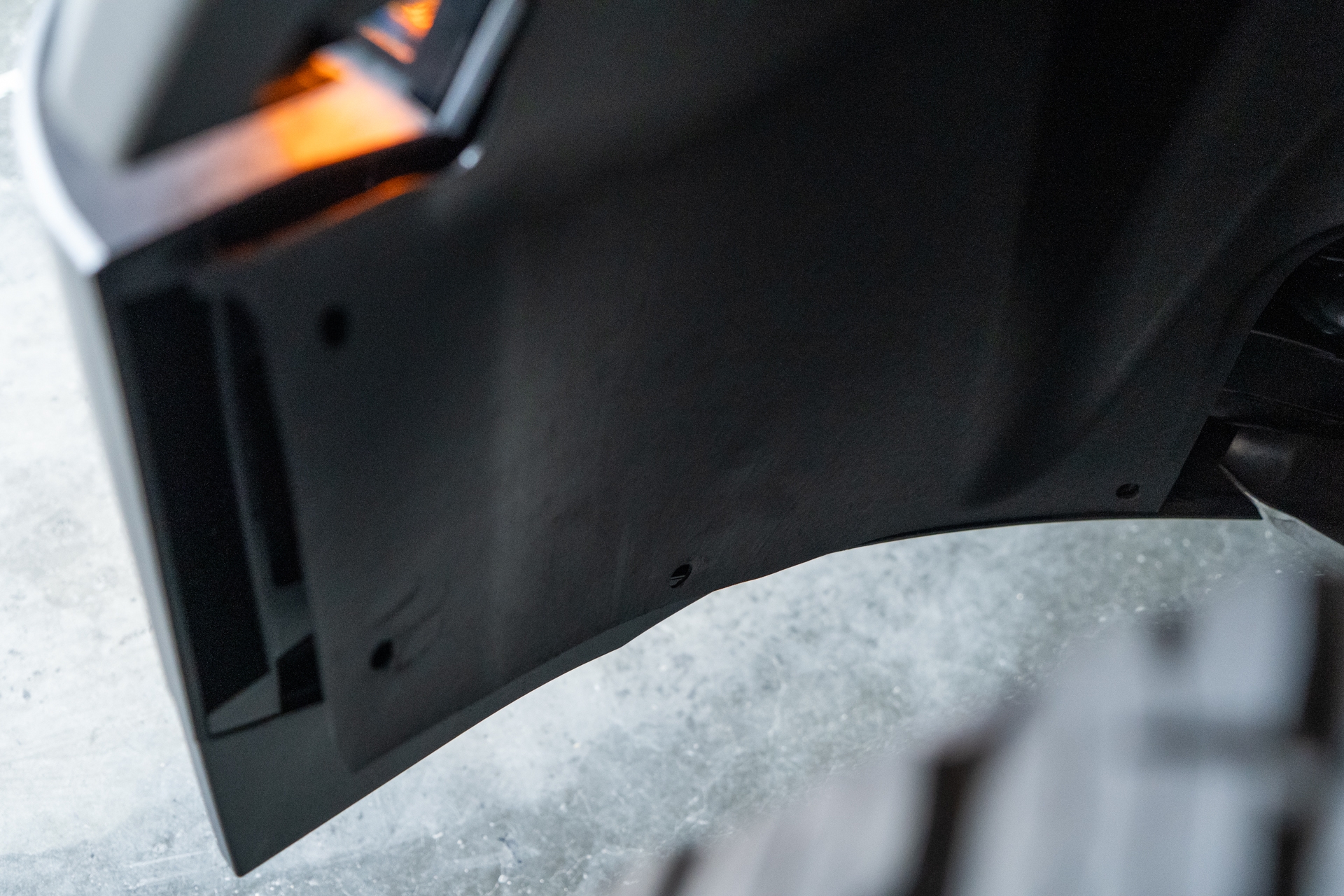
Using a clip removal tool, remove the front tow hook covers by pulling away in a swift like motion.
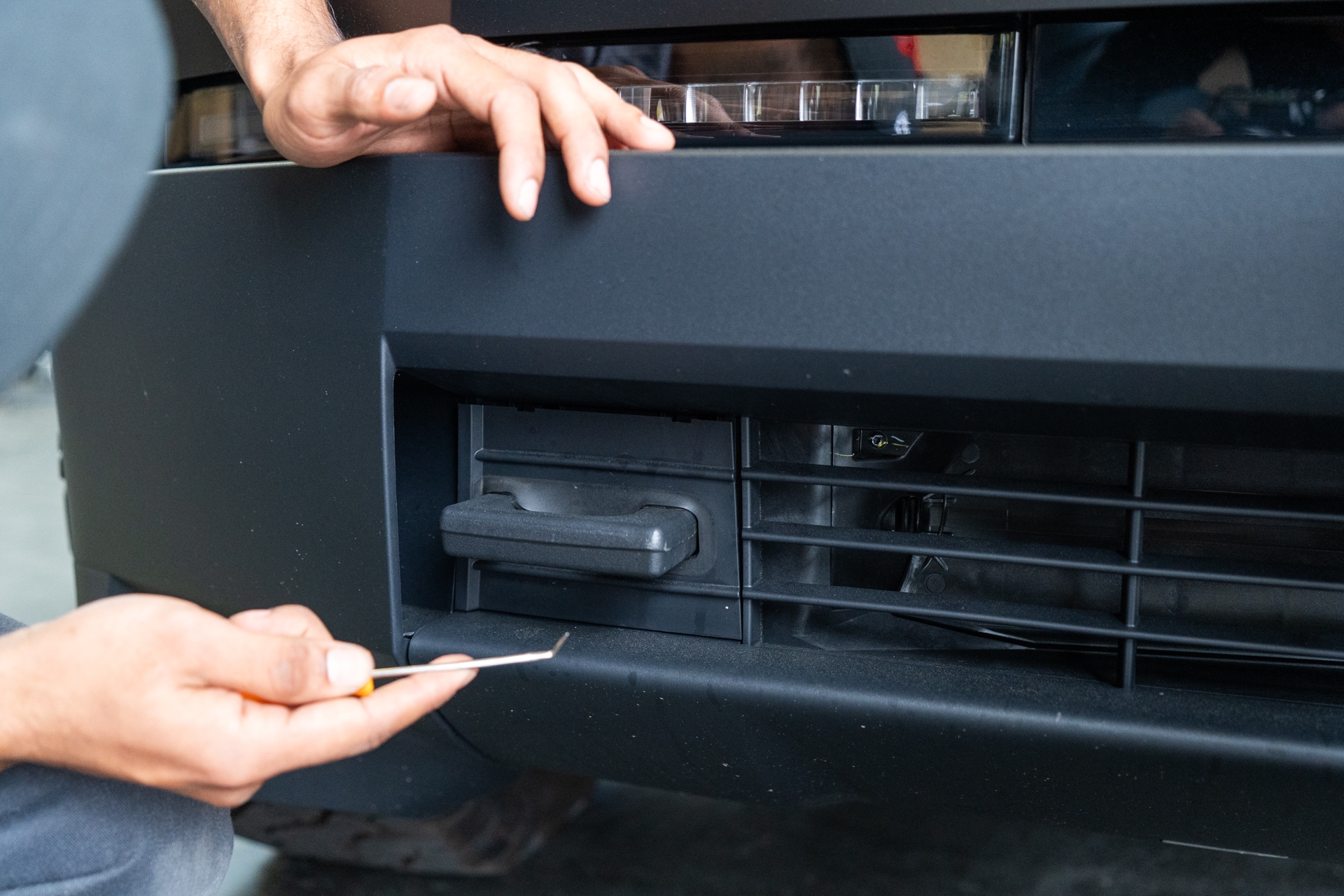
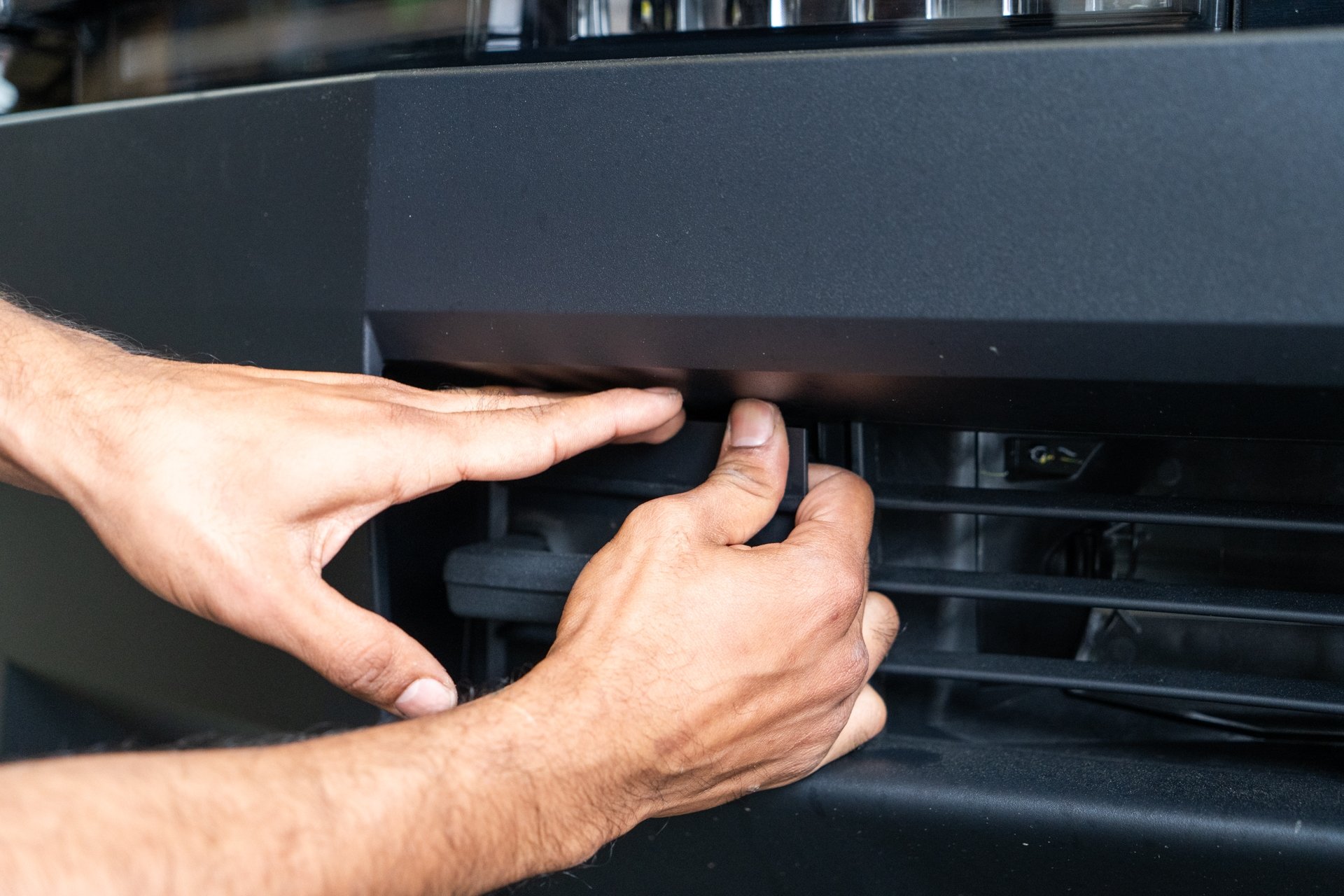
Open the trunk. Using a pry tool, press down on all 4 tabs on the top and bottom of the frunk latch release housing and remove it from the vehicle.
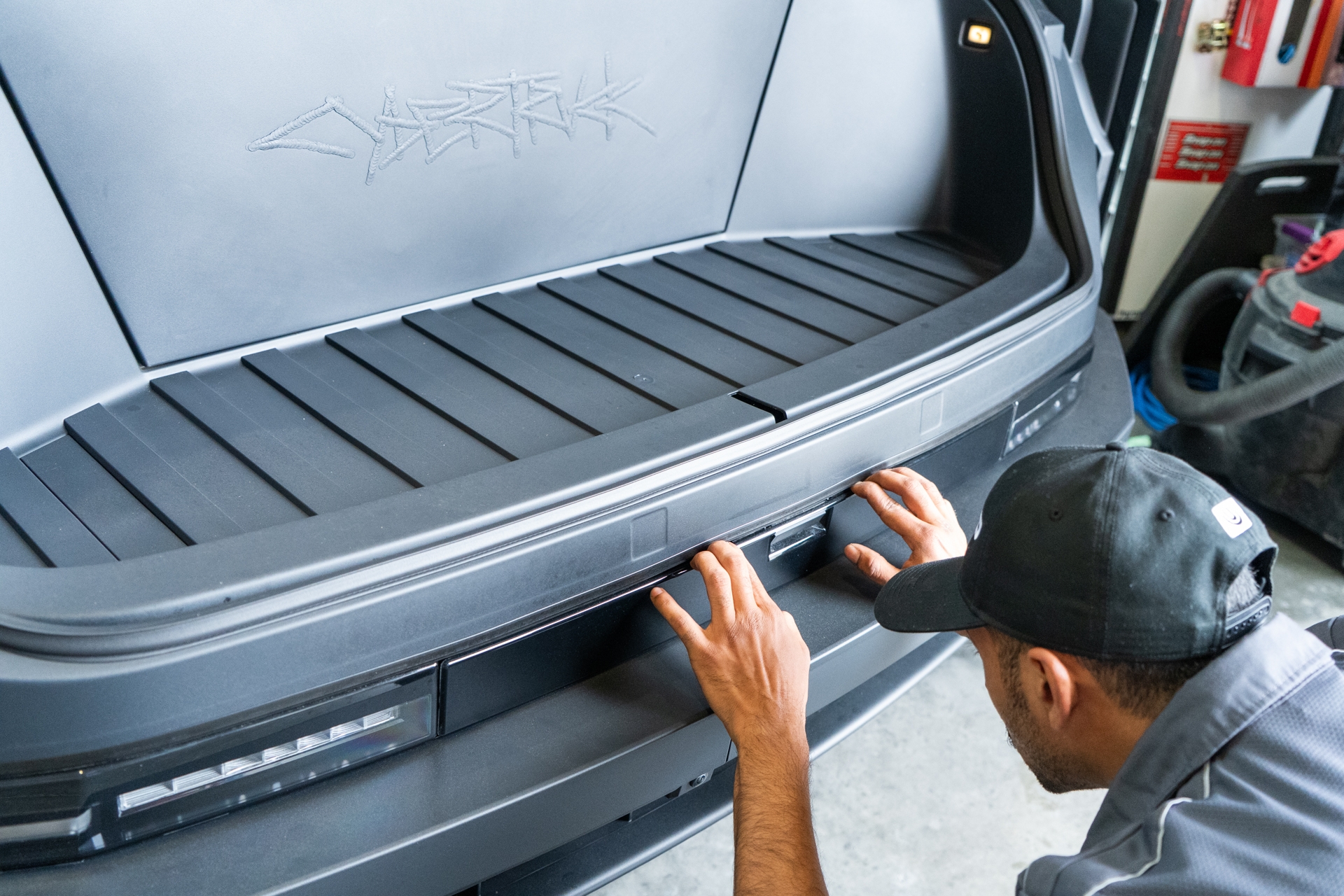
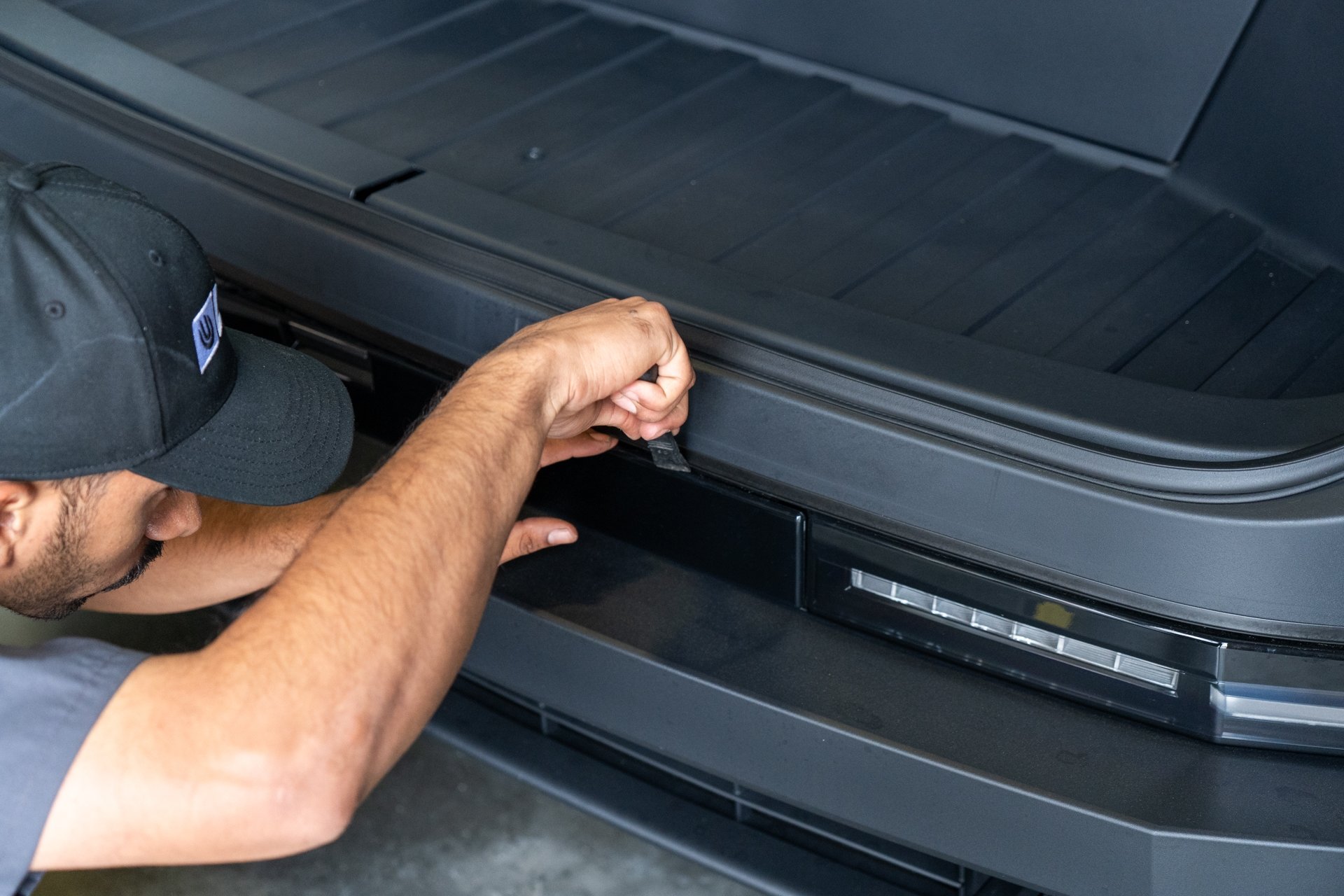
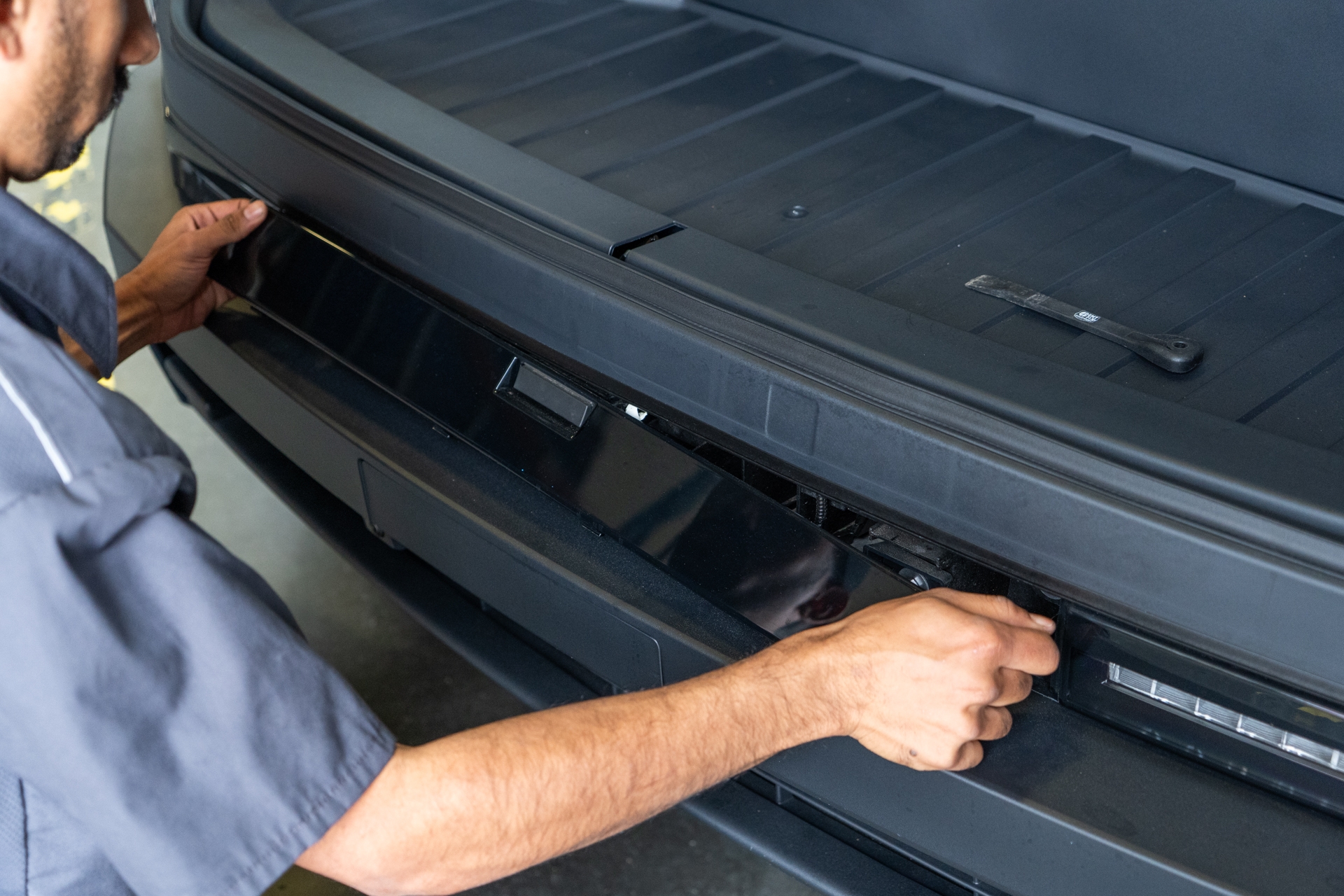
Pull the retainer clip on the frunk release power cable, and disconnect the trunk release power cable.
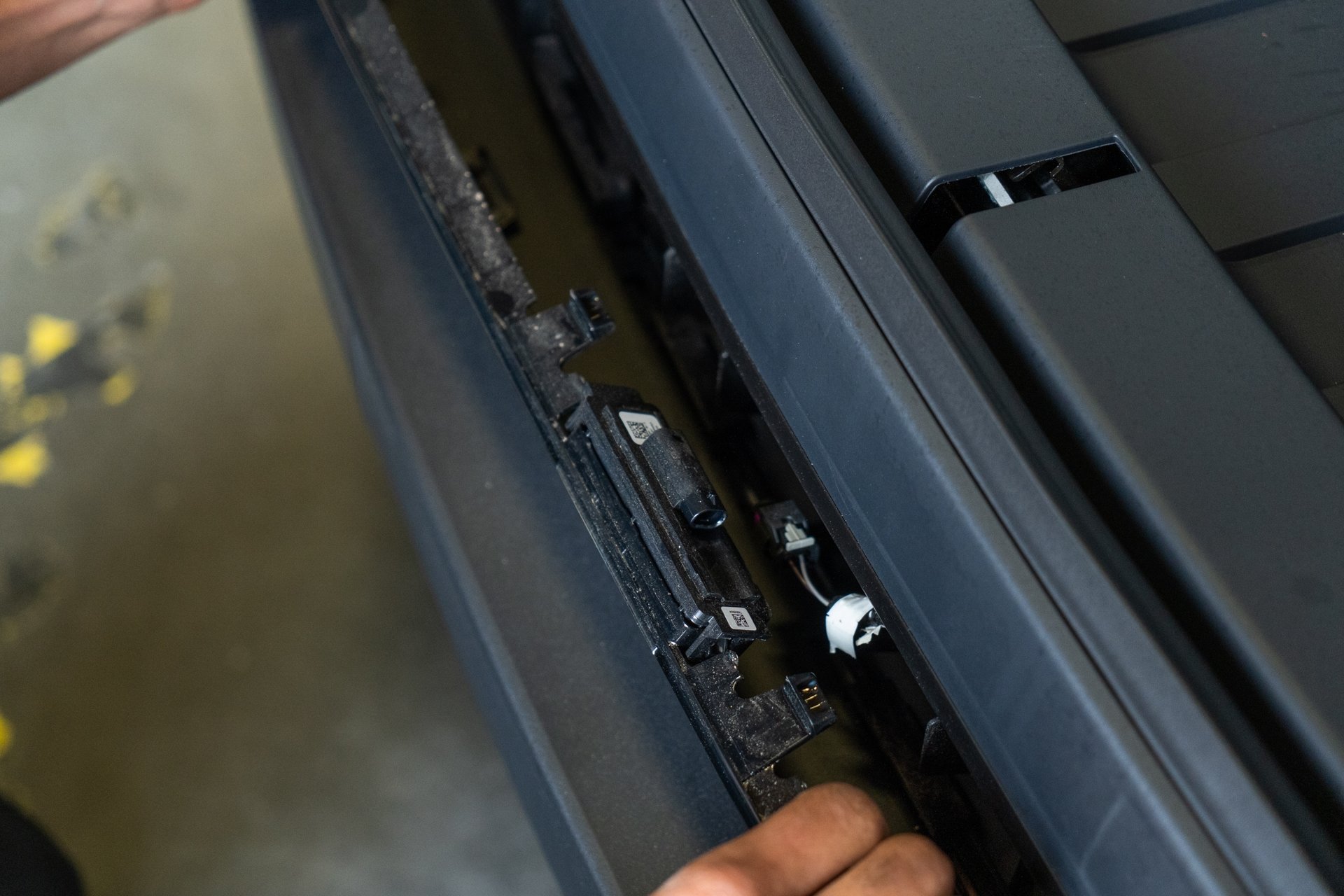
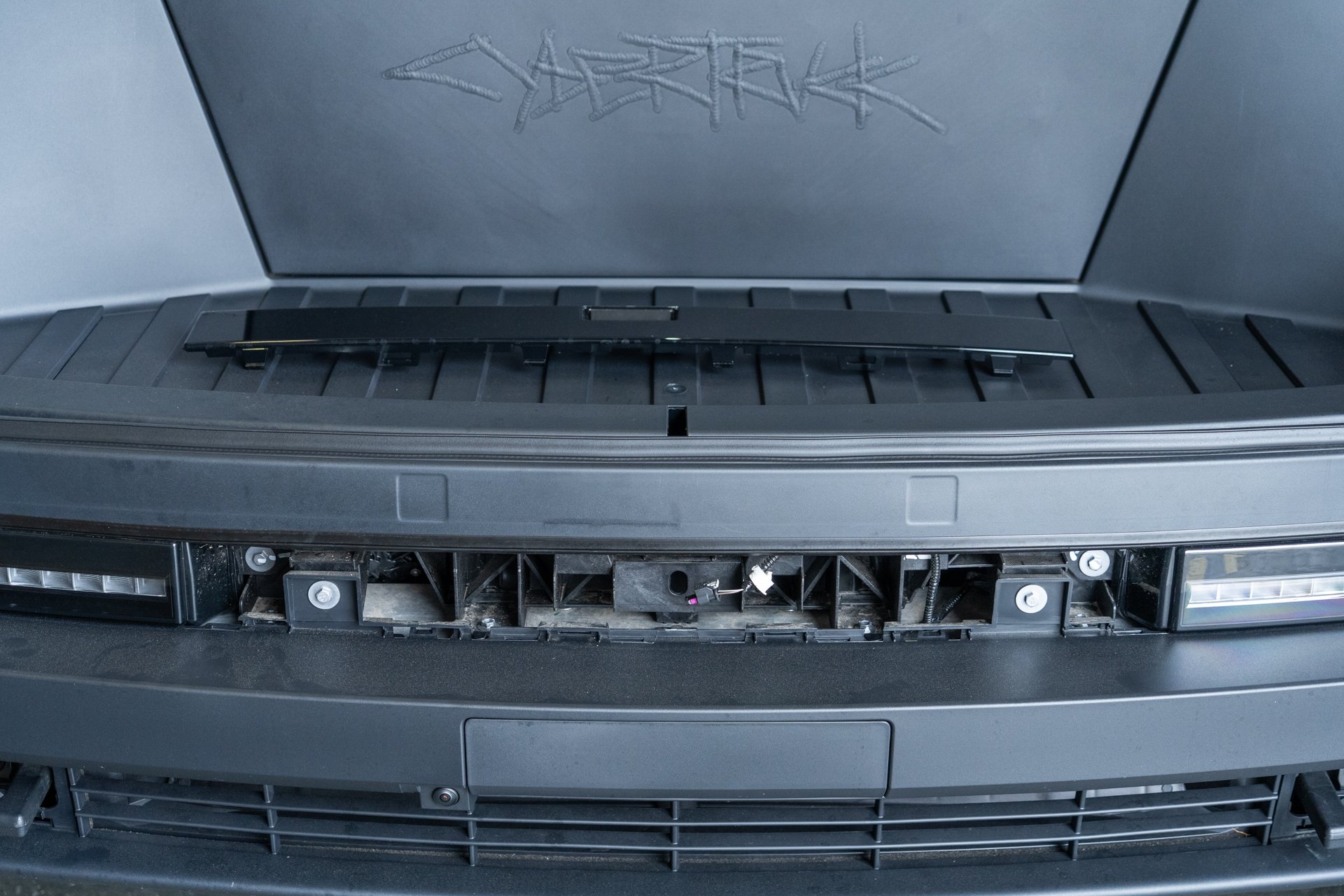
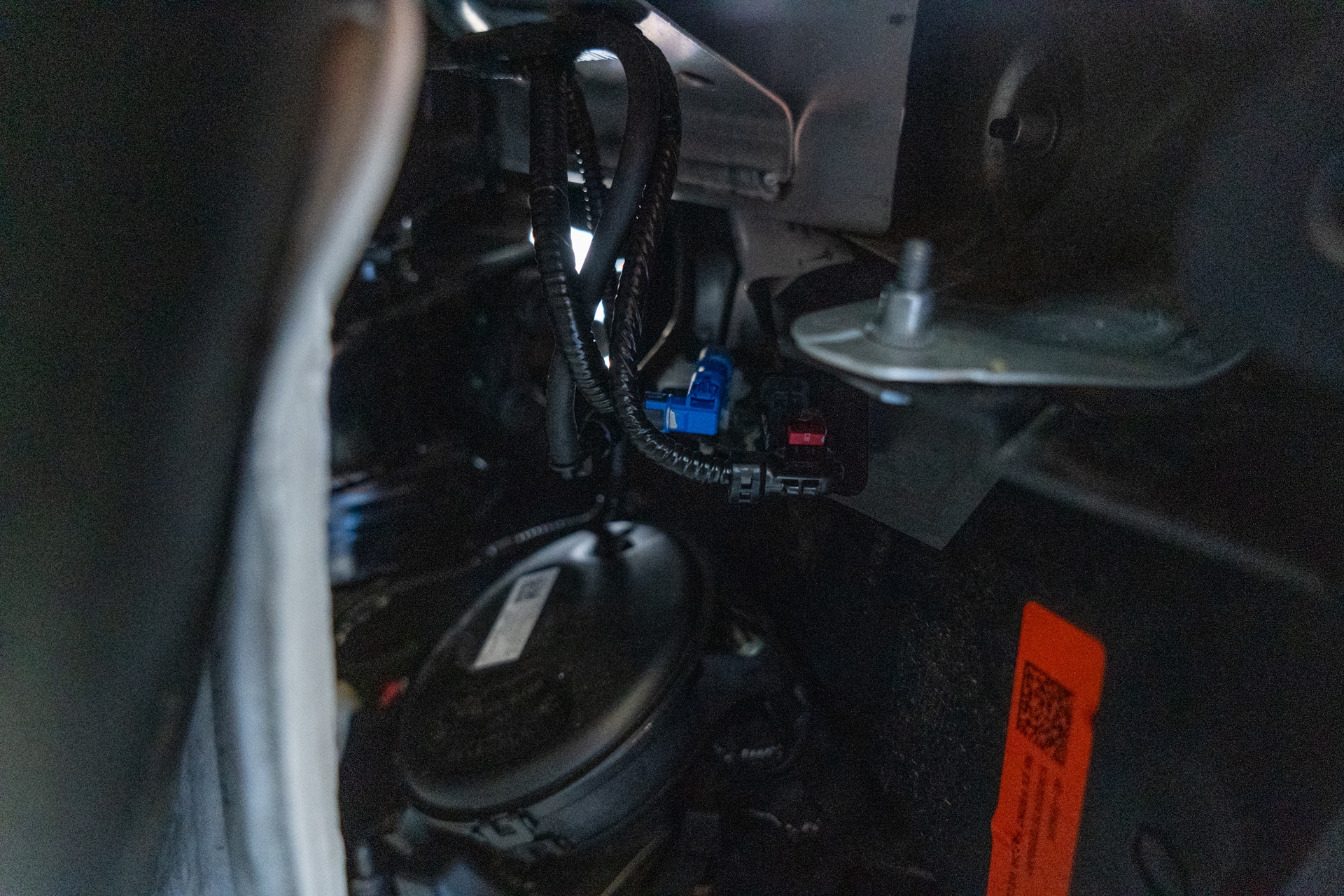
On the passenger side, pull the fender liner back to access the front accessory electrical harnesses. Disconnect all 4 bus connectors shown in the following photo to ensure they are not damaged when removing the factory bumper cover from the vehicle.
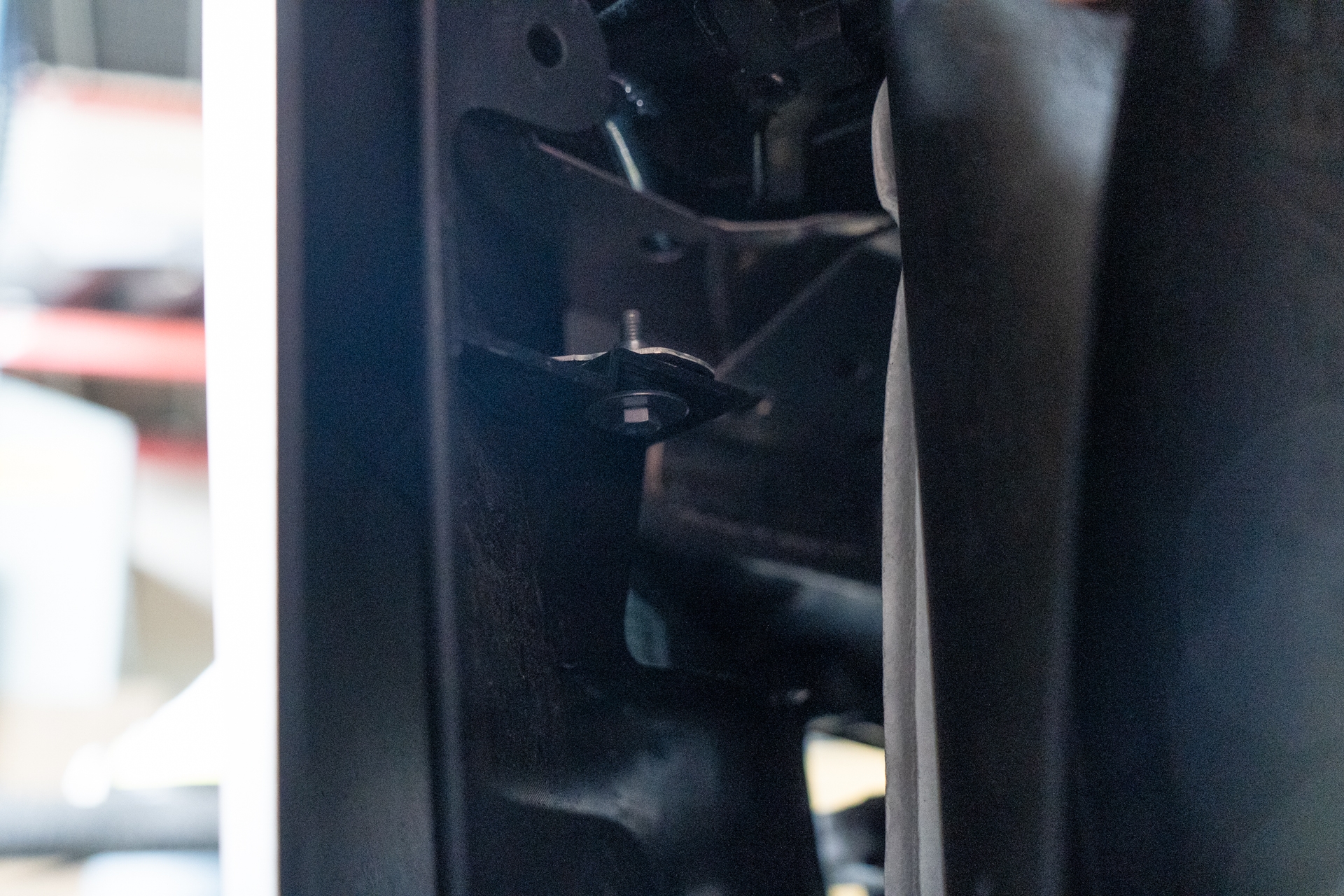
Using a 10mm socket, remove each retainer bolt securing the factory bumper cover to the factory crash beam. Start with the bolts located behind each front fender liner.
Consider turning the steering wheel if additional space is needed.
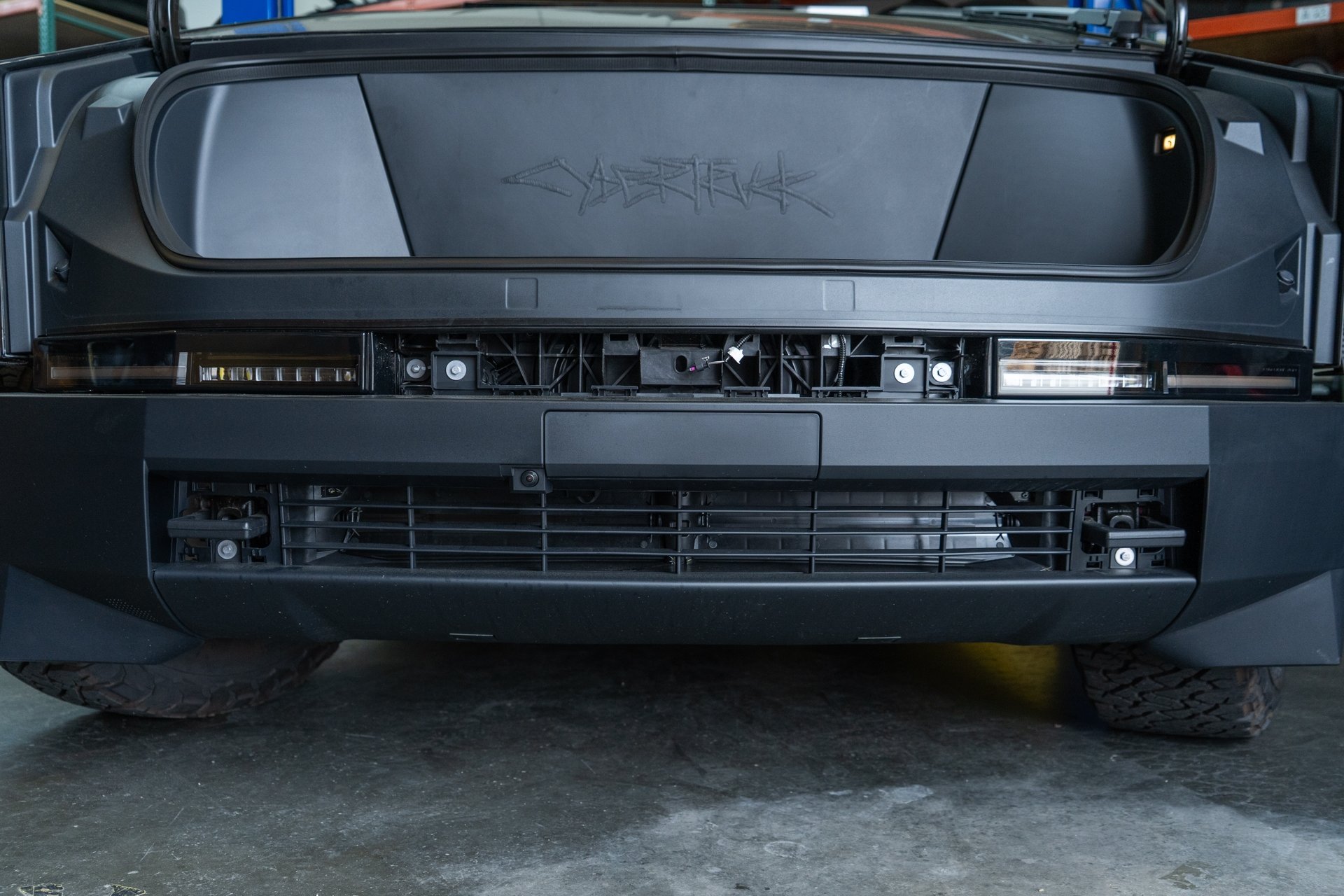
Using a 10mm socket, remove 4 bolts securing the front of the factory bumper cover to the factory crash beam. There are 4 bolts near the factory light housings, and 1 bolt near each factory tow hook.
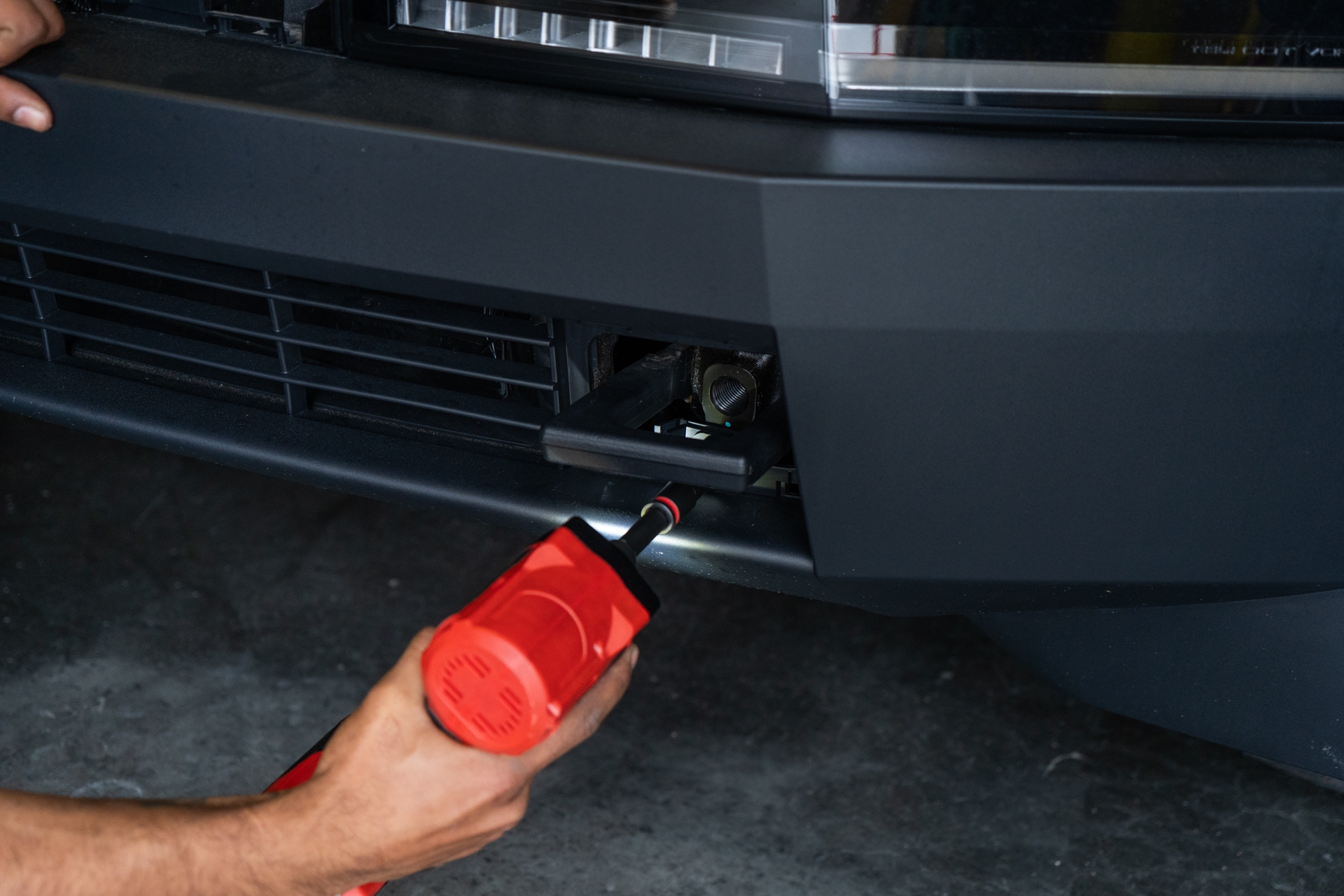
Using a pry tool, open the 2 tabs underneath the front bumper where the factory bumper cover and the factory splash guard meet.
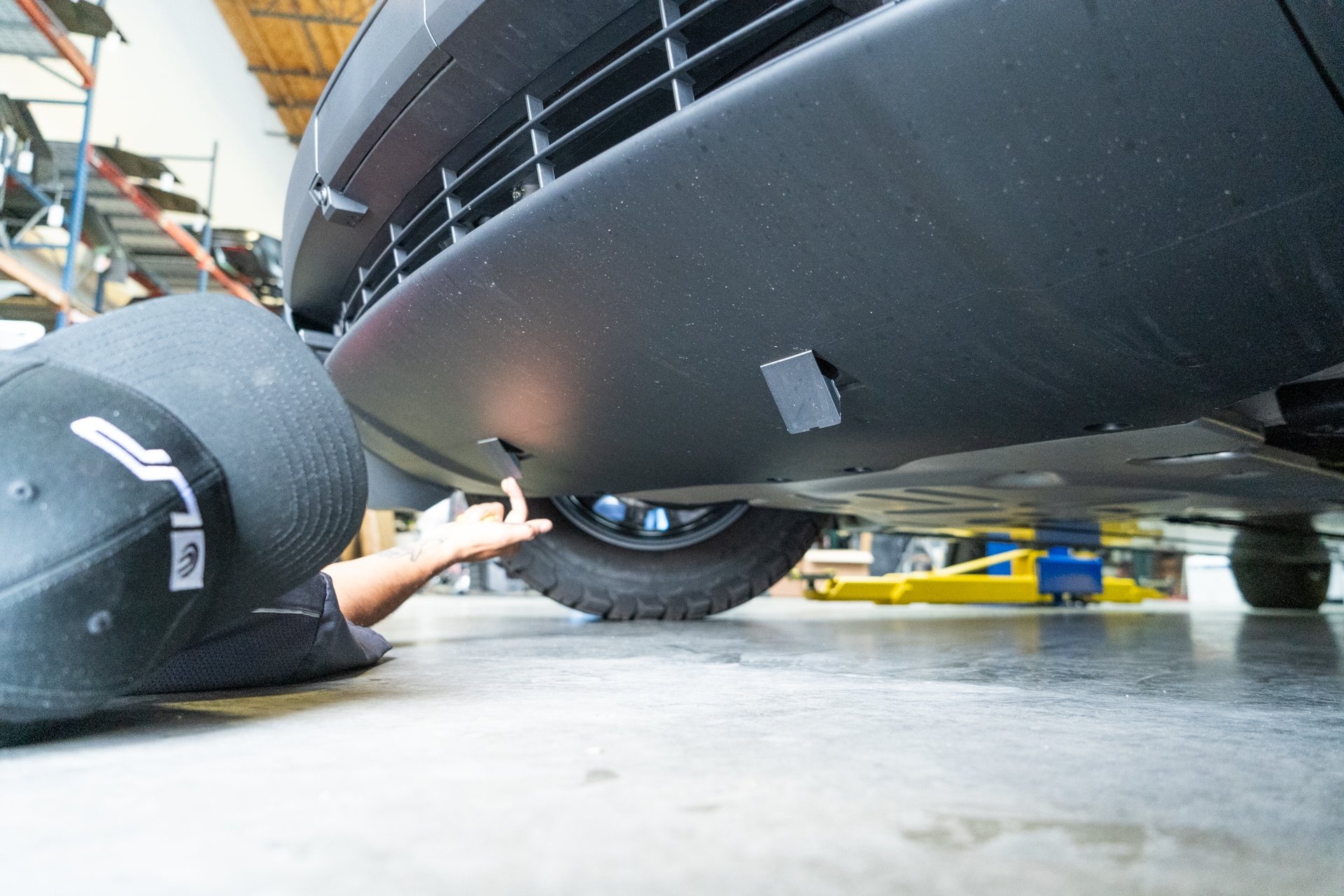
Using a 10mm socket, remove all 6 bolts securing the factory bumper cover to the factory splash guard. 1 bolt is located under each flap cover, and 4 bolts are located further back securing the factory bumper cover to the factory mid panel.
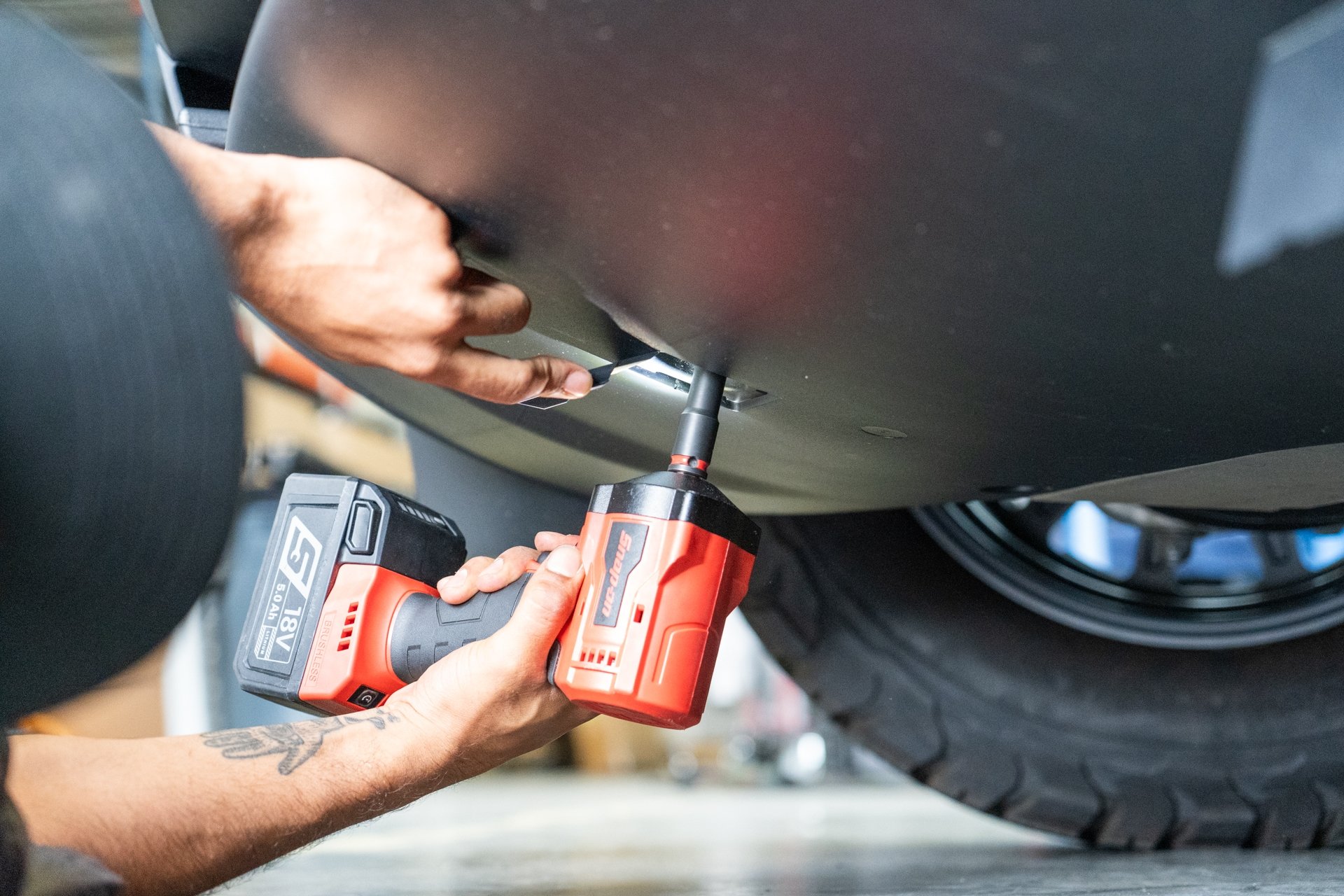
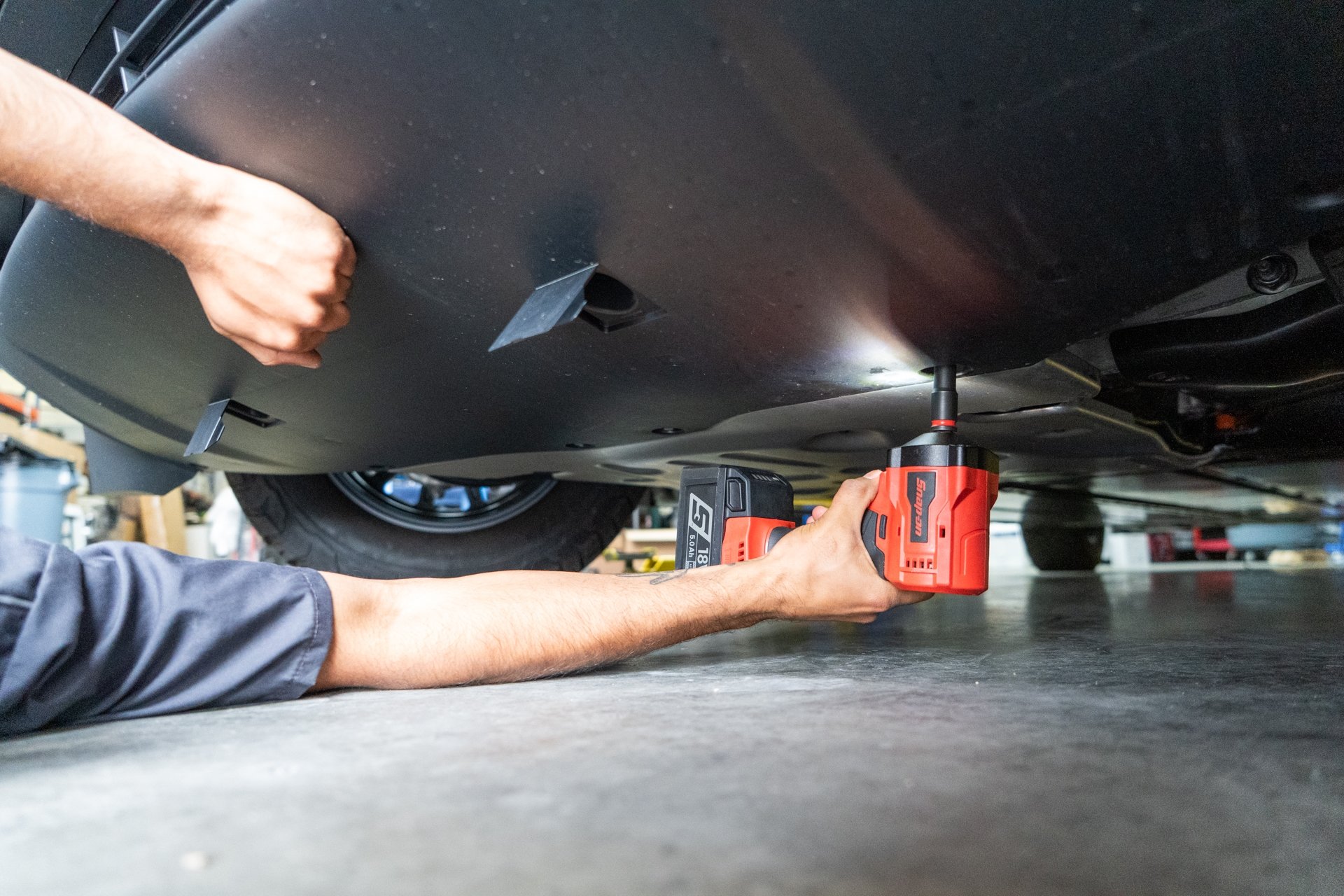
Next, pull the factory bumper cover away from the vehicle in a swift like motion to disengage the retainer tabs. Note that the speaker has a push clip securing the wiring harness that needs to be removed.
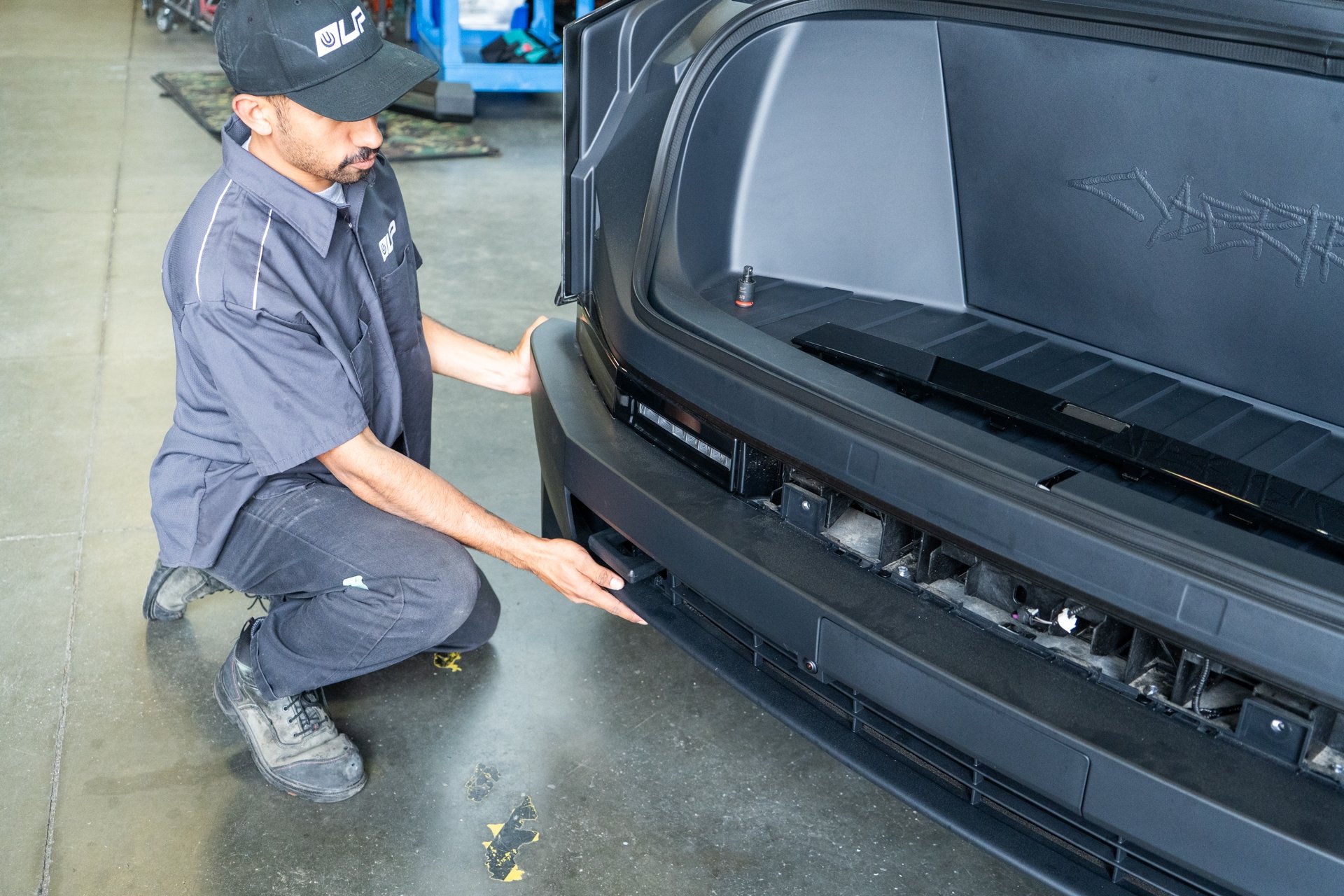
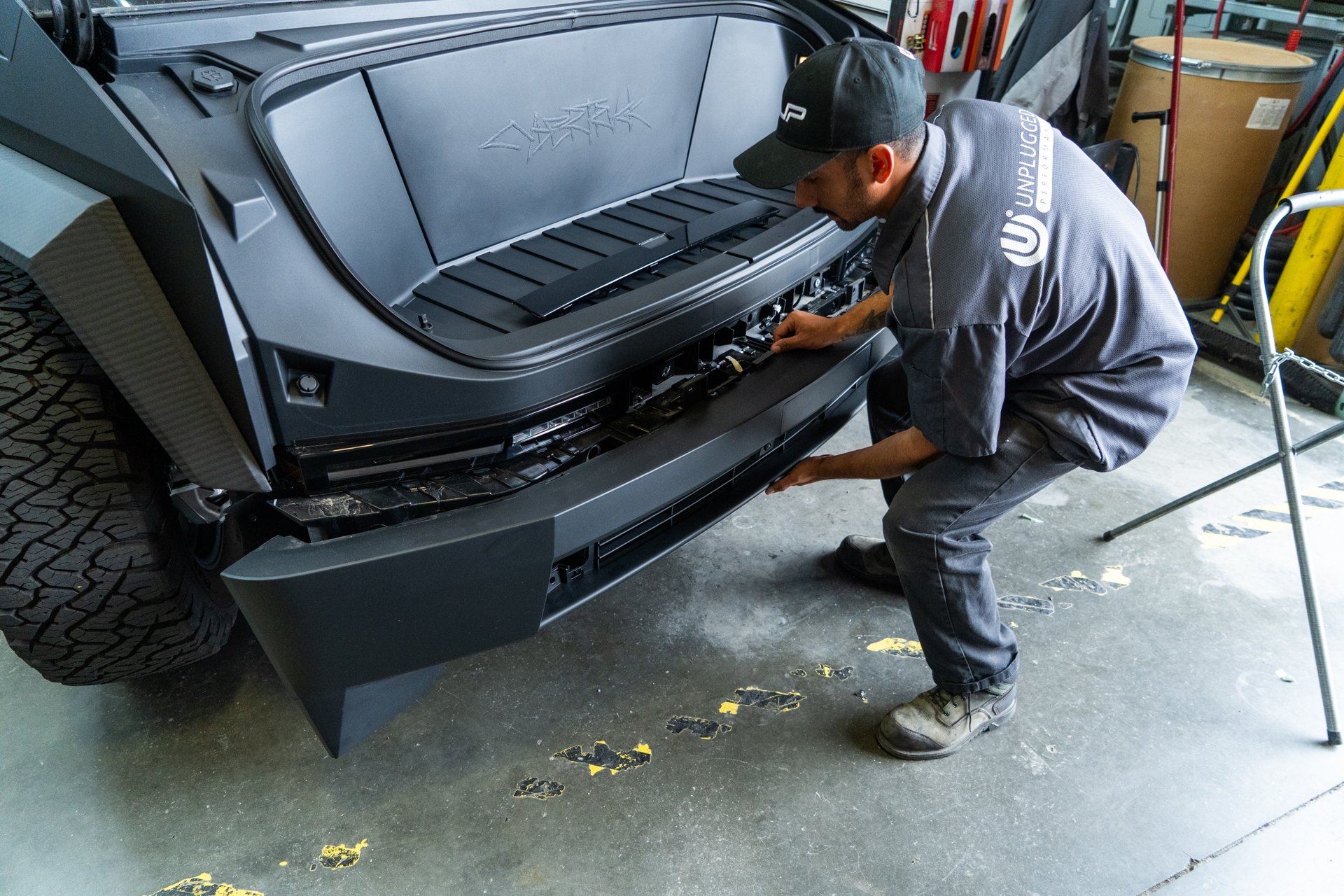
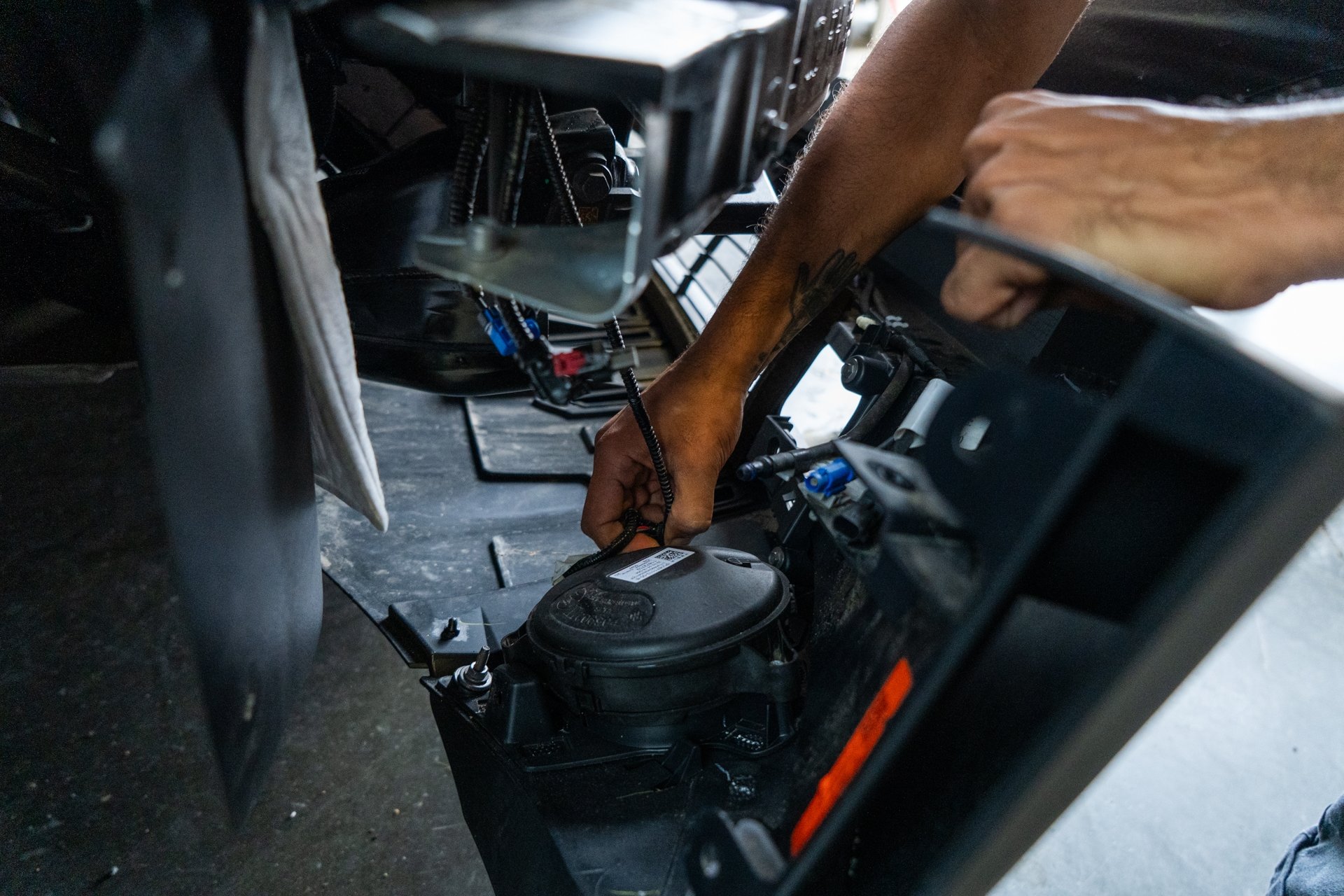
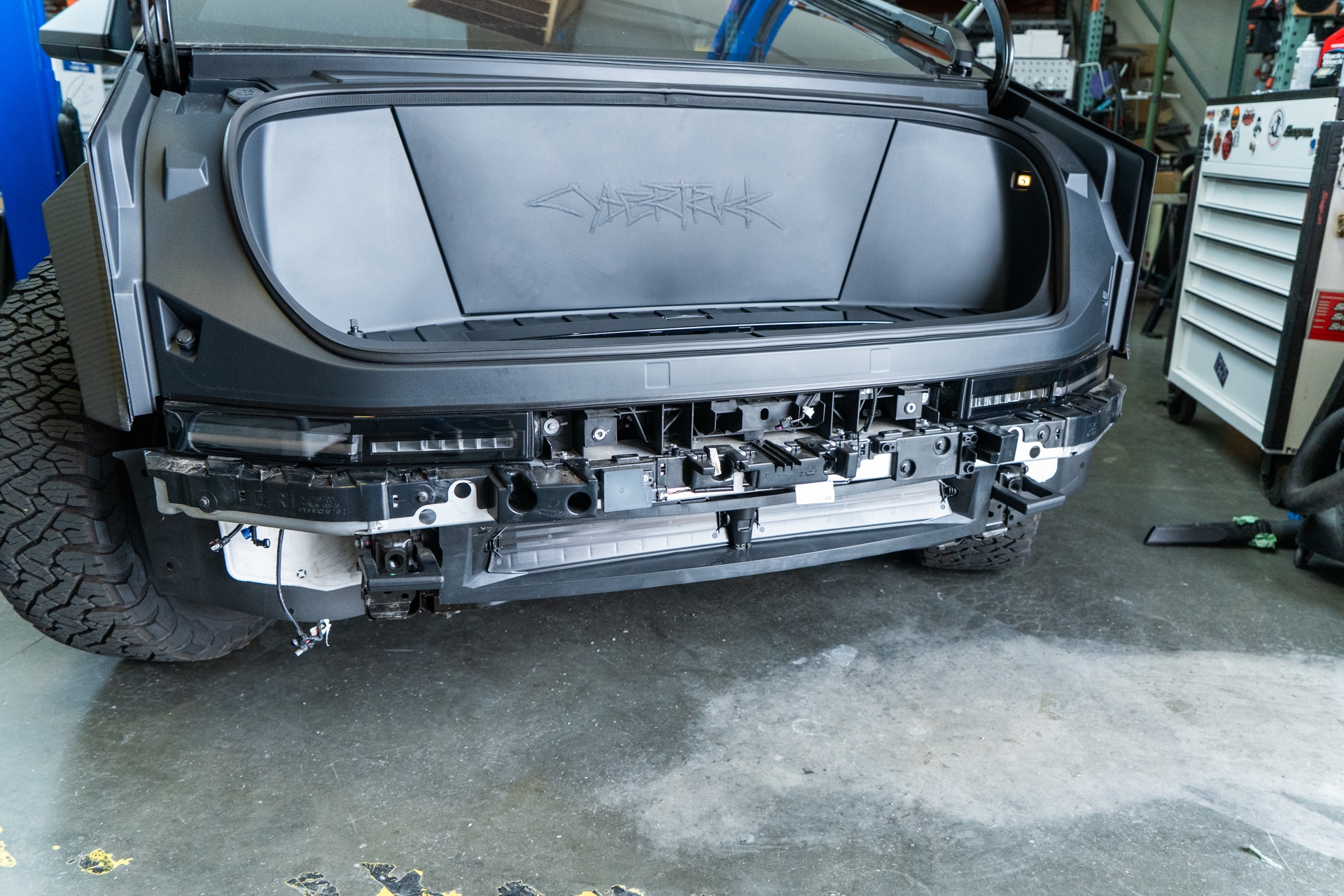
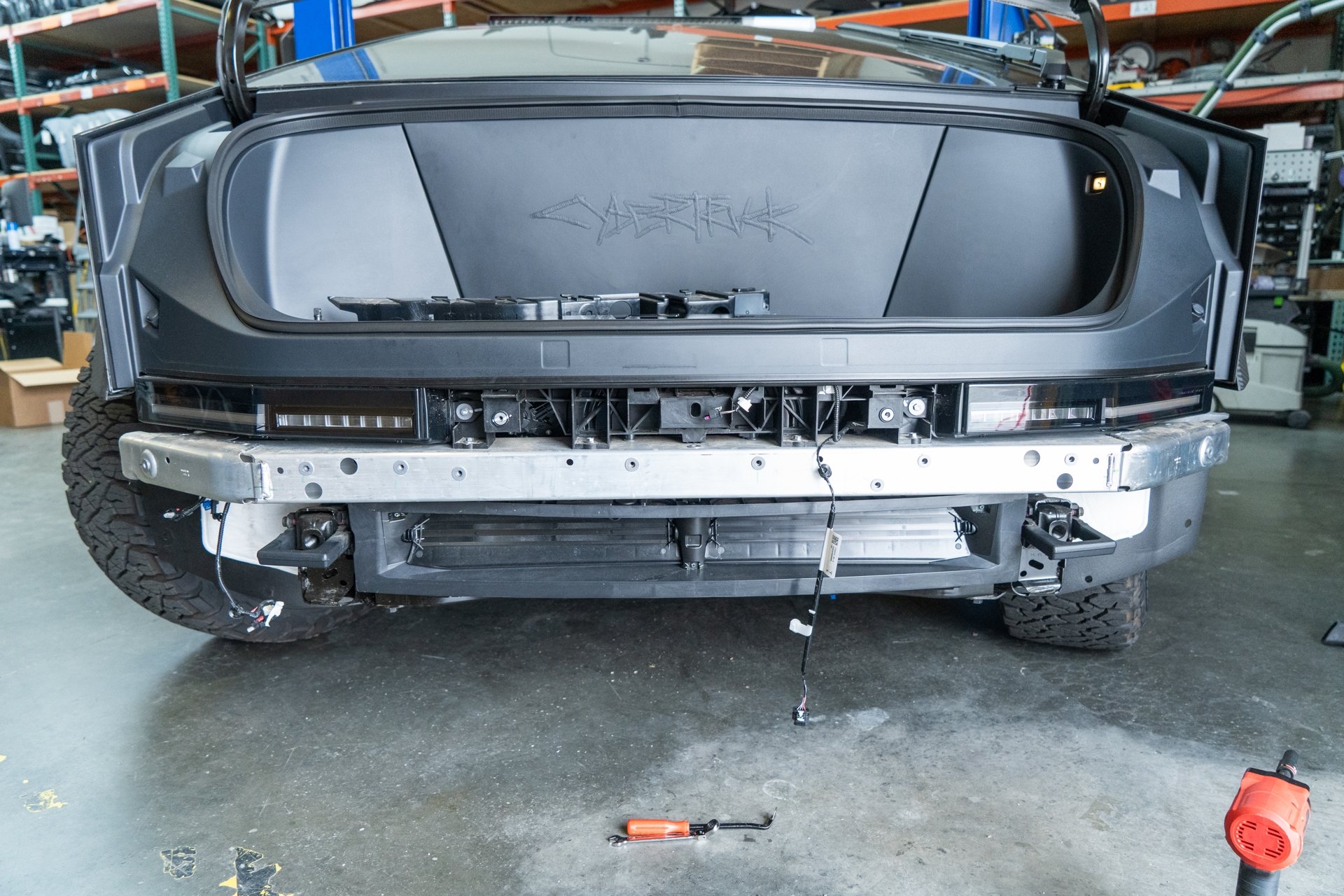
Next, using a 10mm socket, remove the Bluetooth sensor trim housing by removing all 11 bolts securing the trim piece to the factory crash beam. Note that the bluetooth sensor wiring harness must be disconnected before the housing trim piece has been removed from the crash beam, as well as the driver side wiring harnesses need to be removed using a pry tool before the bluetooth housing trim piece can be removed.
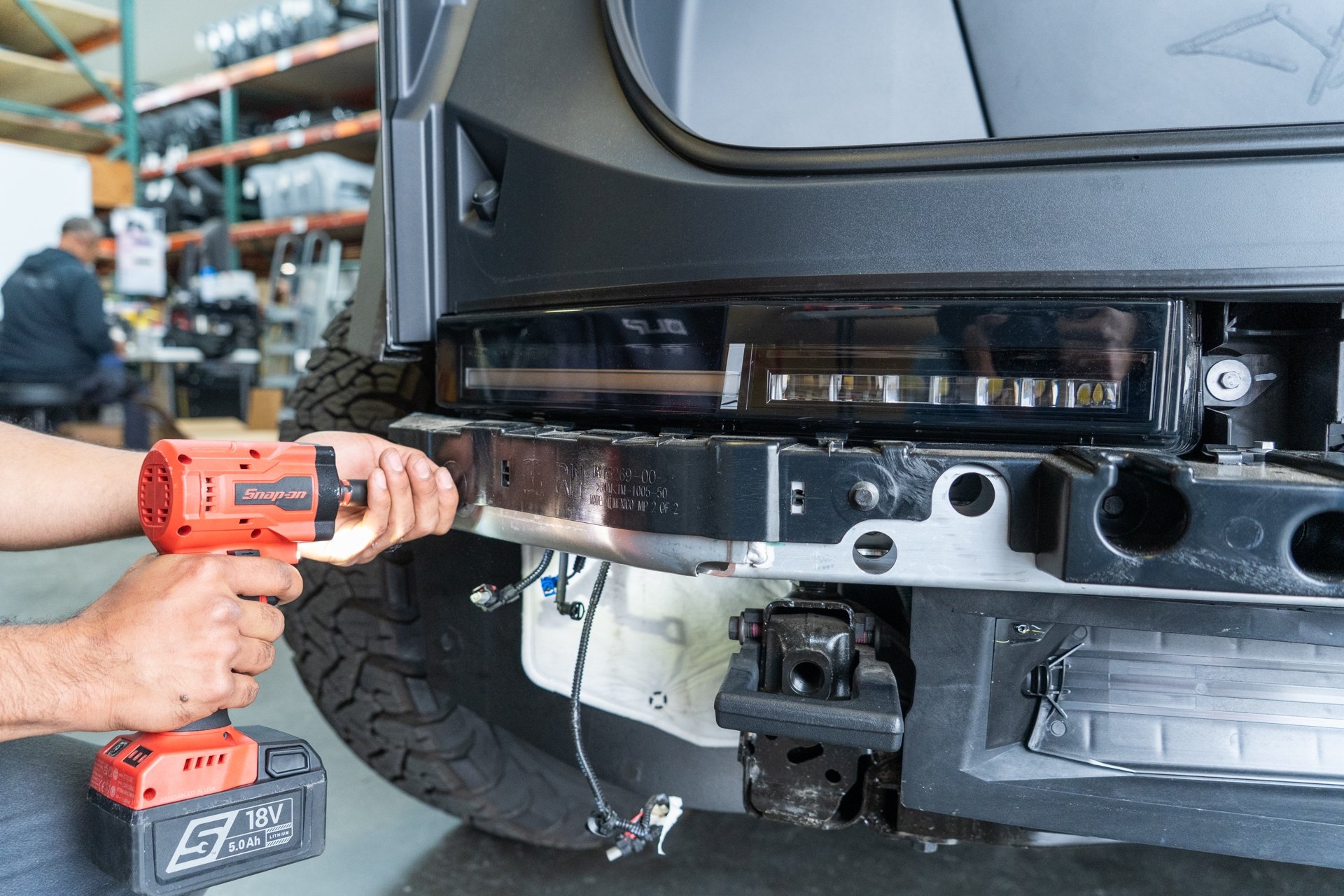
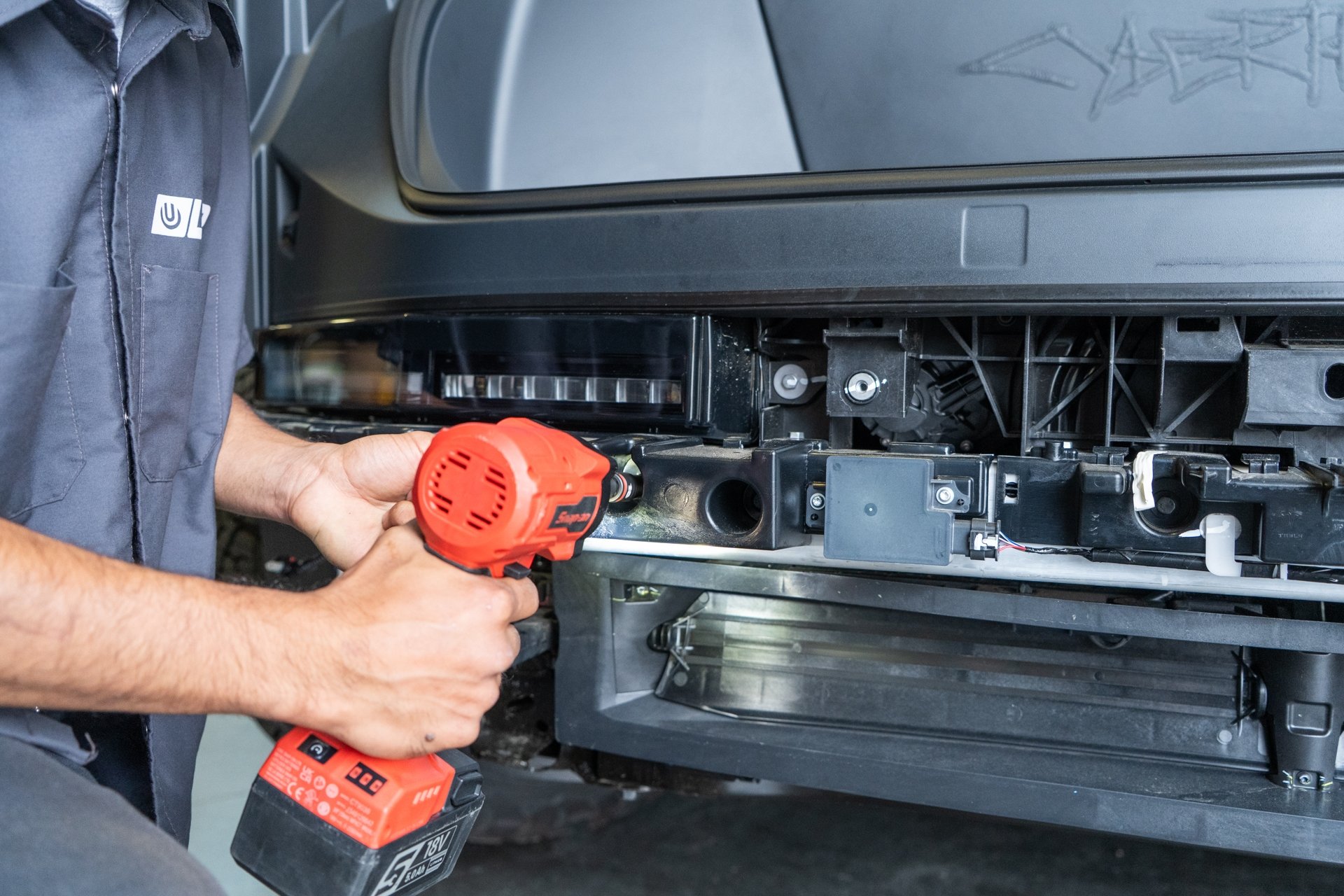
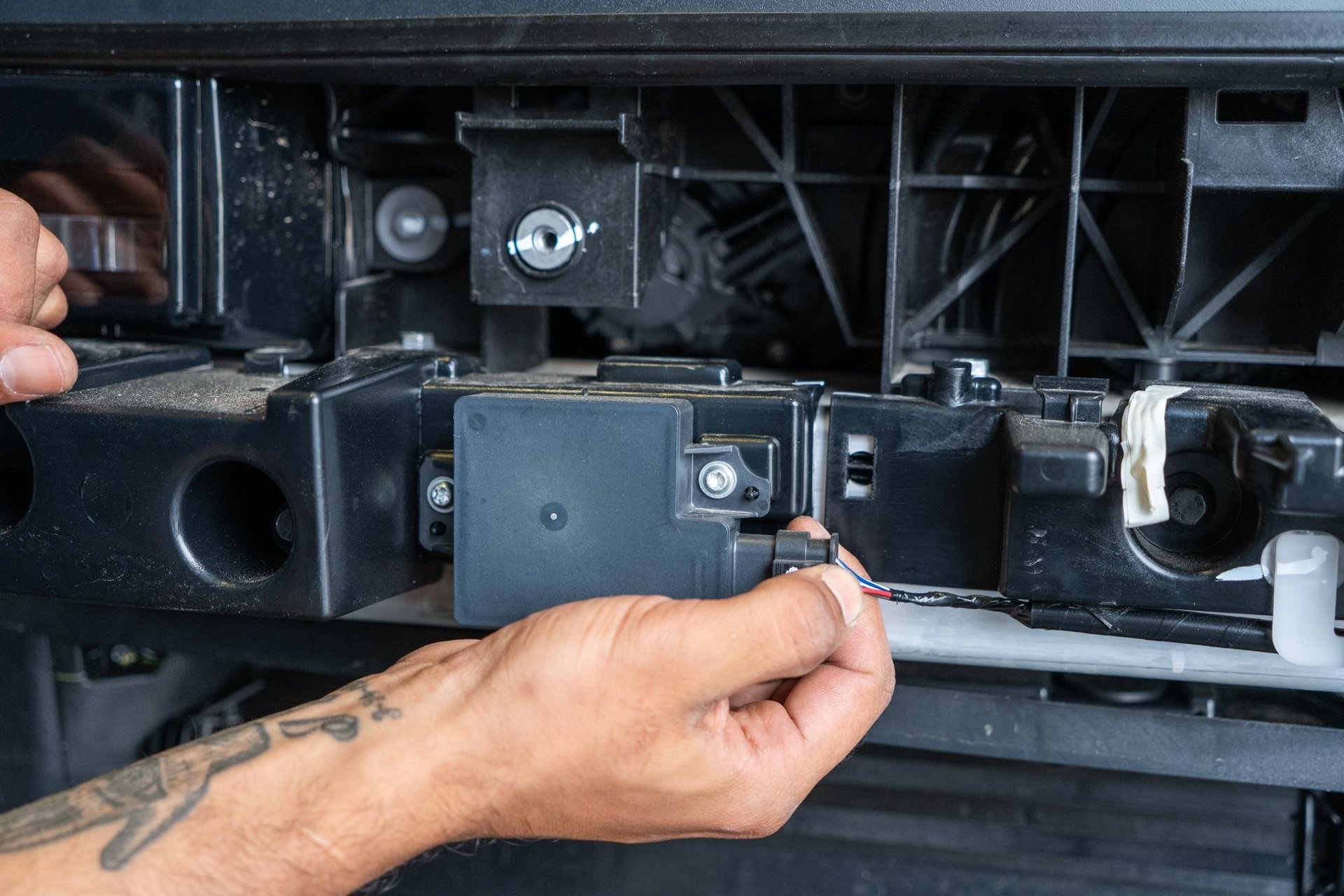
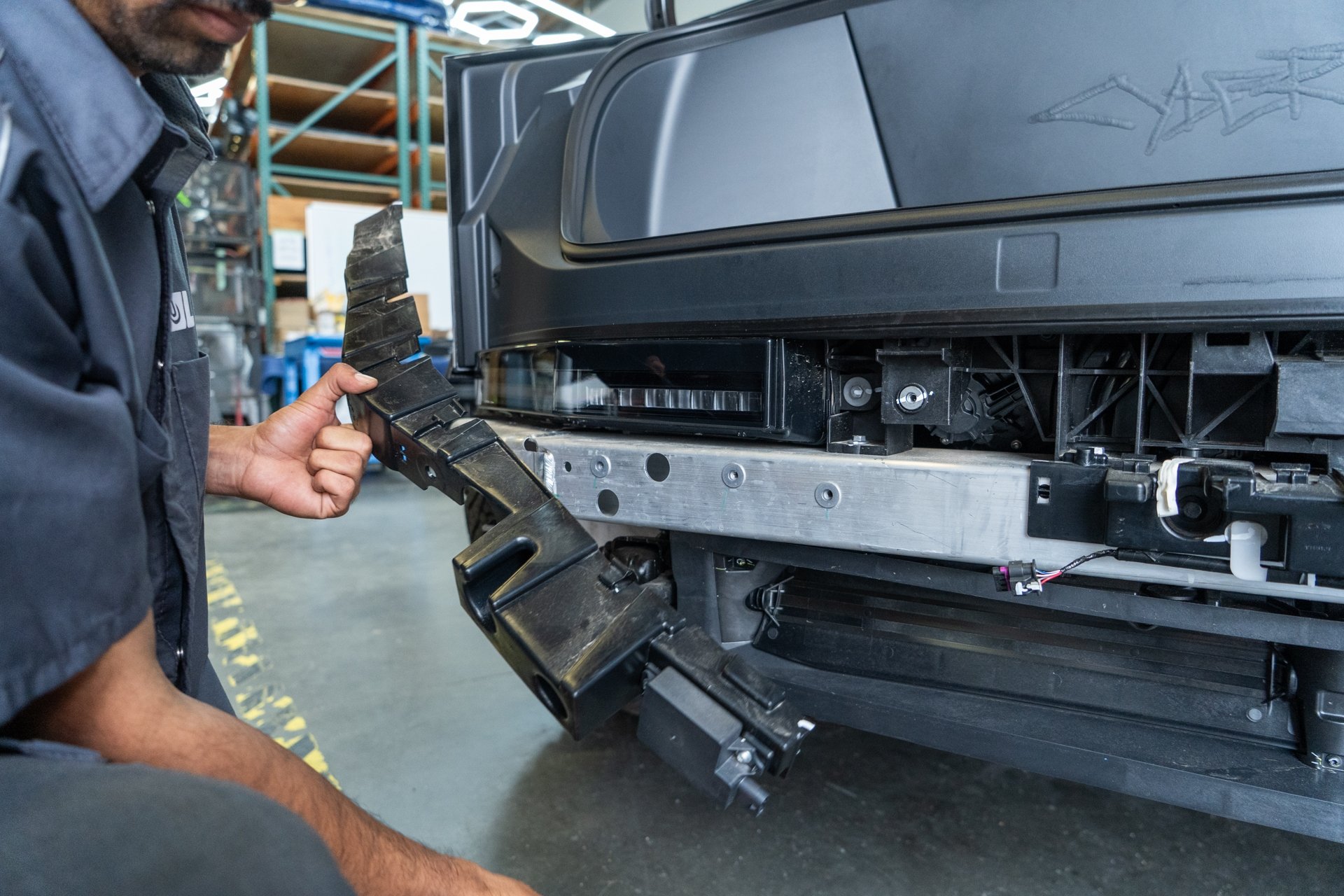
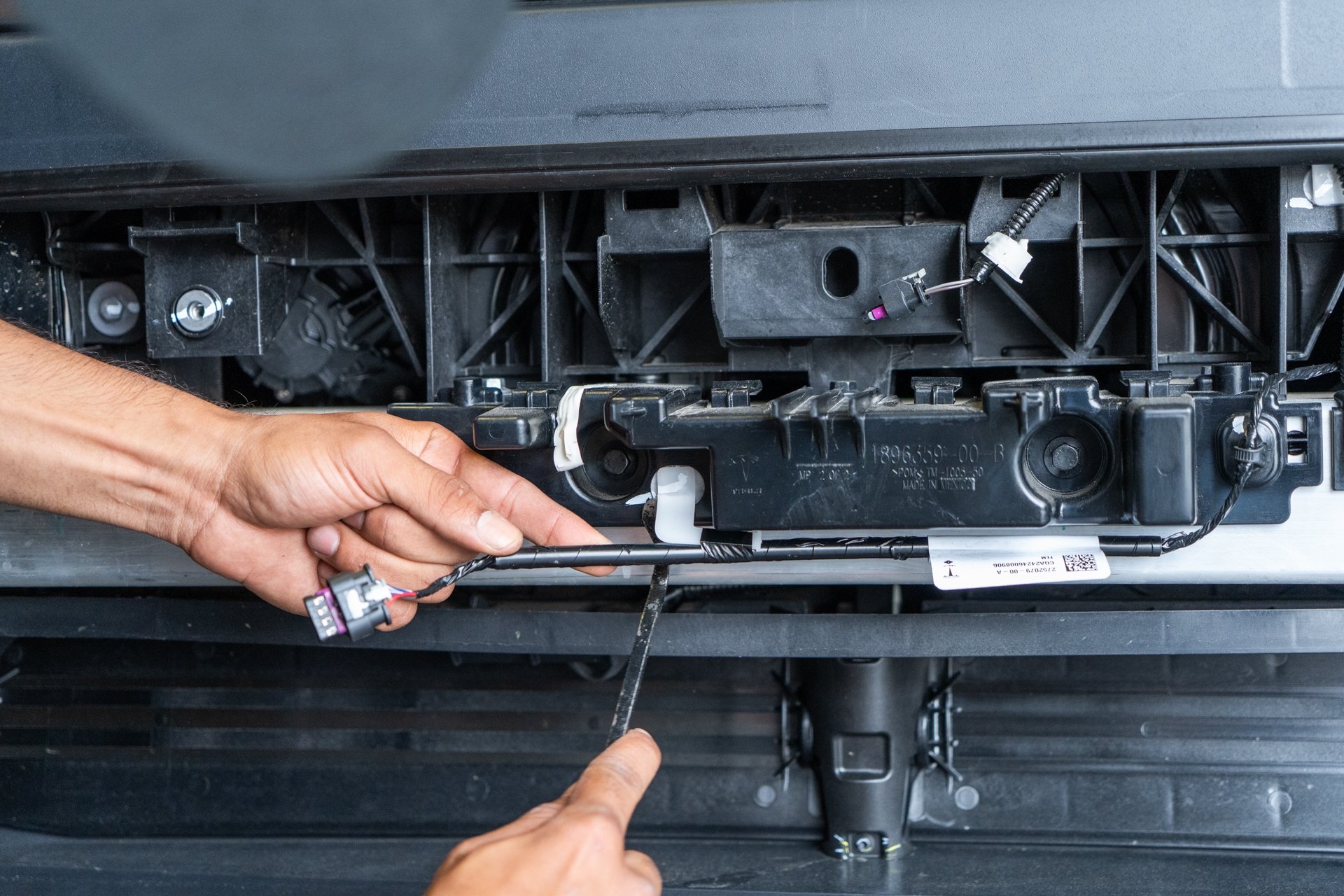
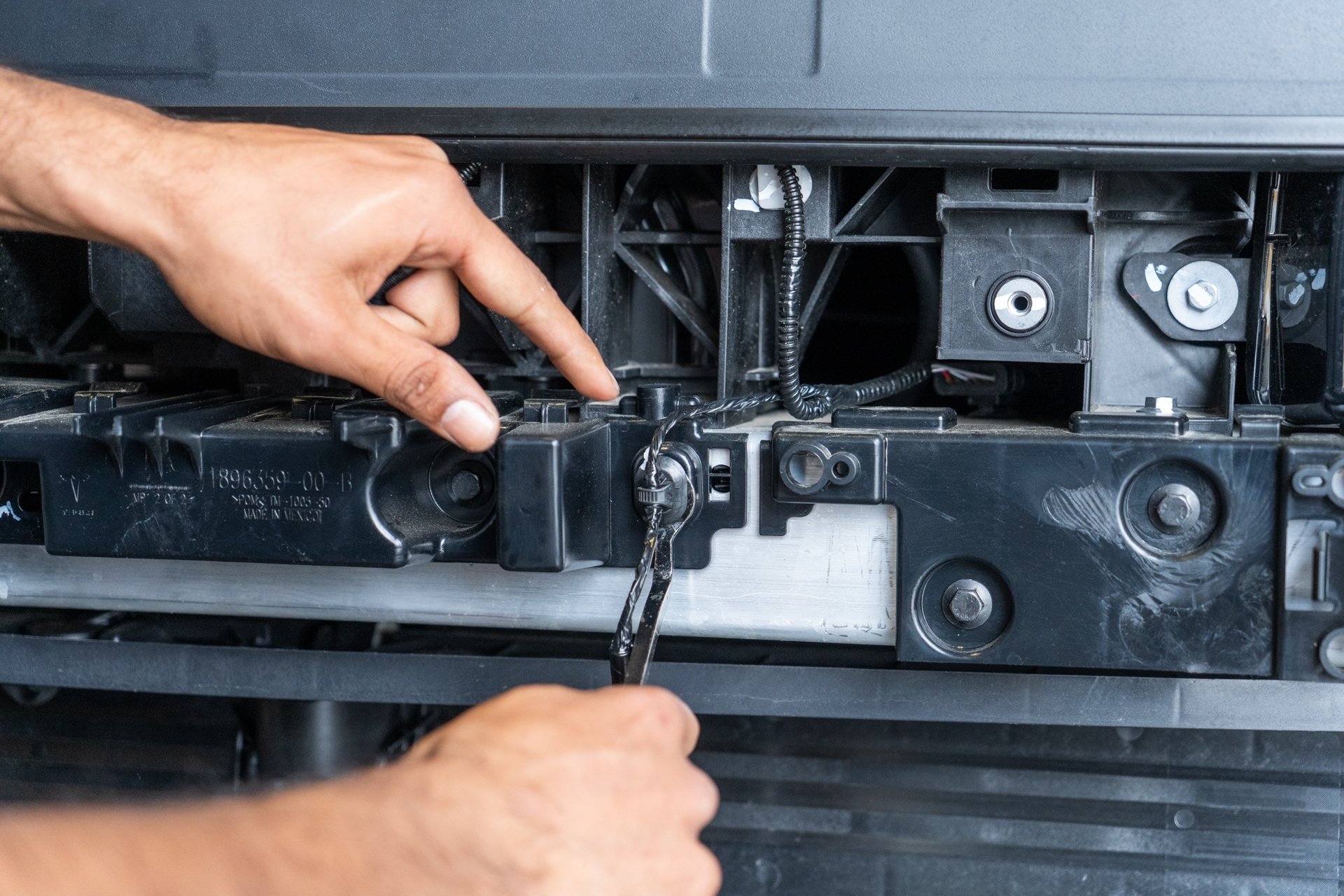
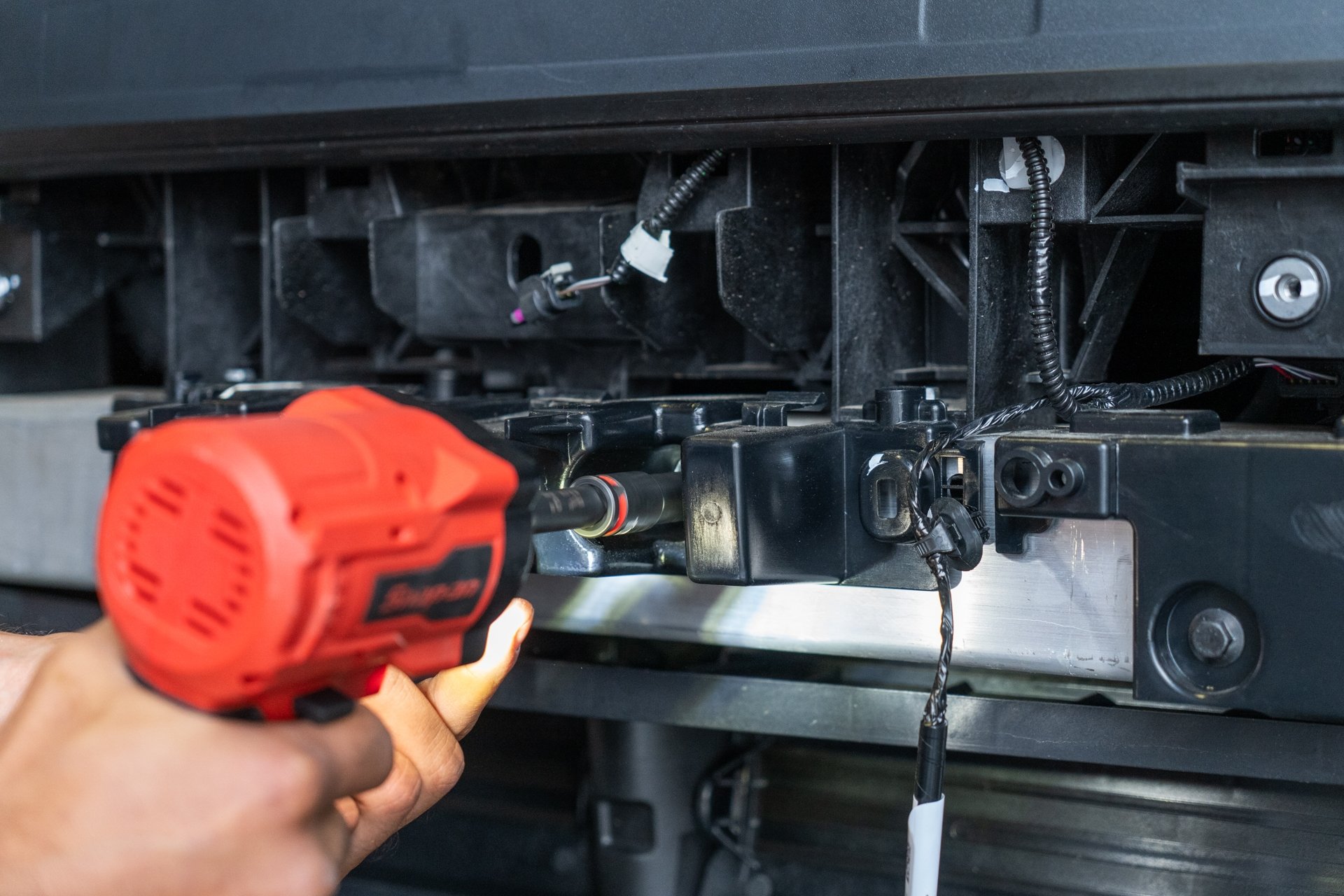
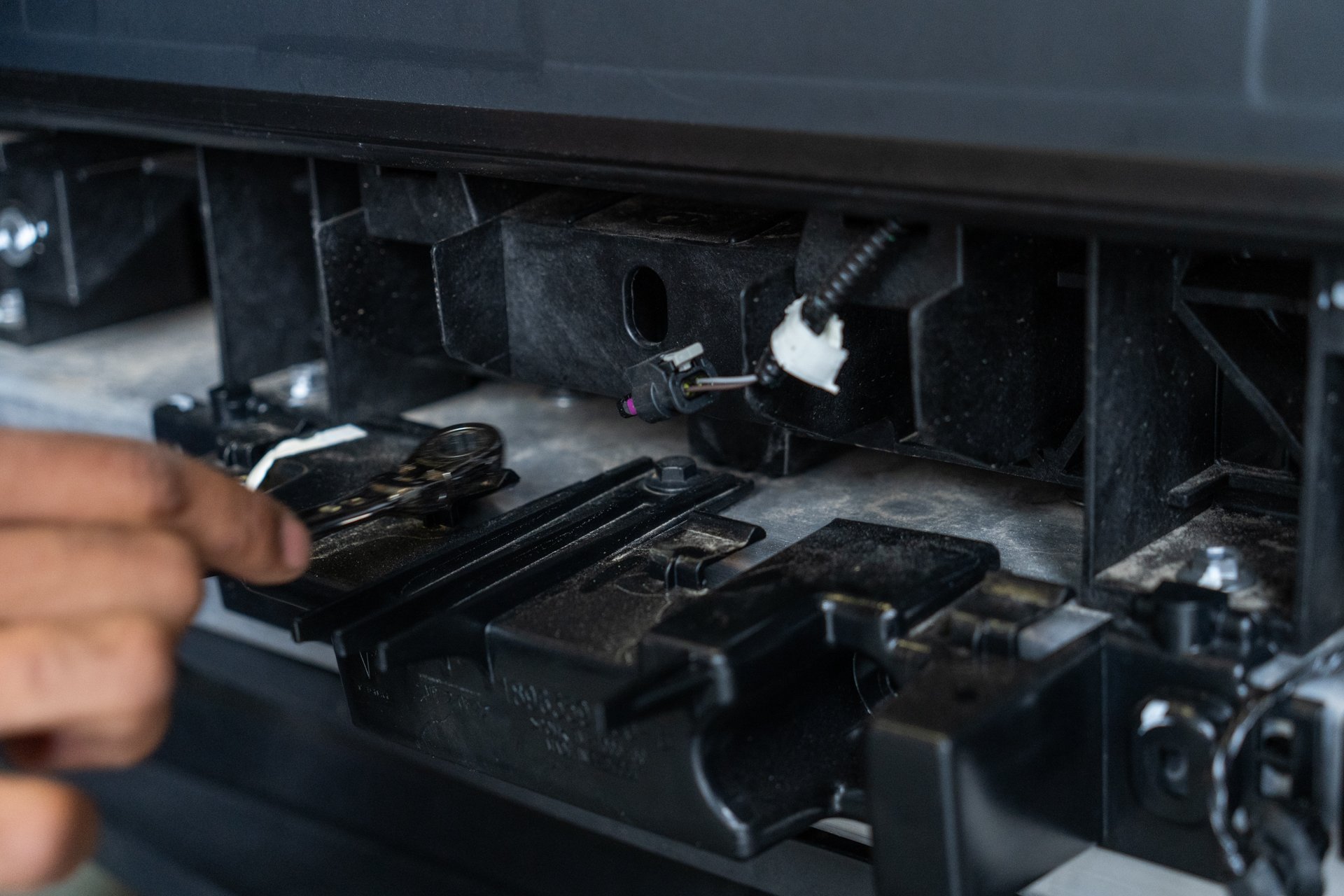
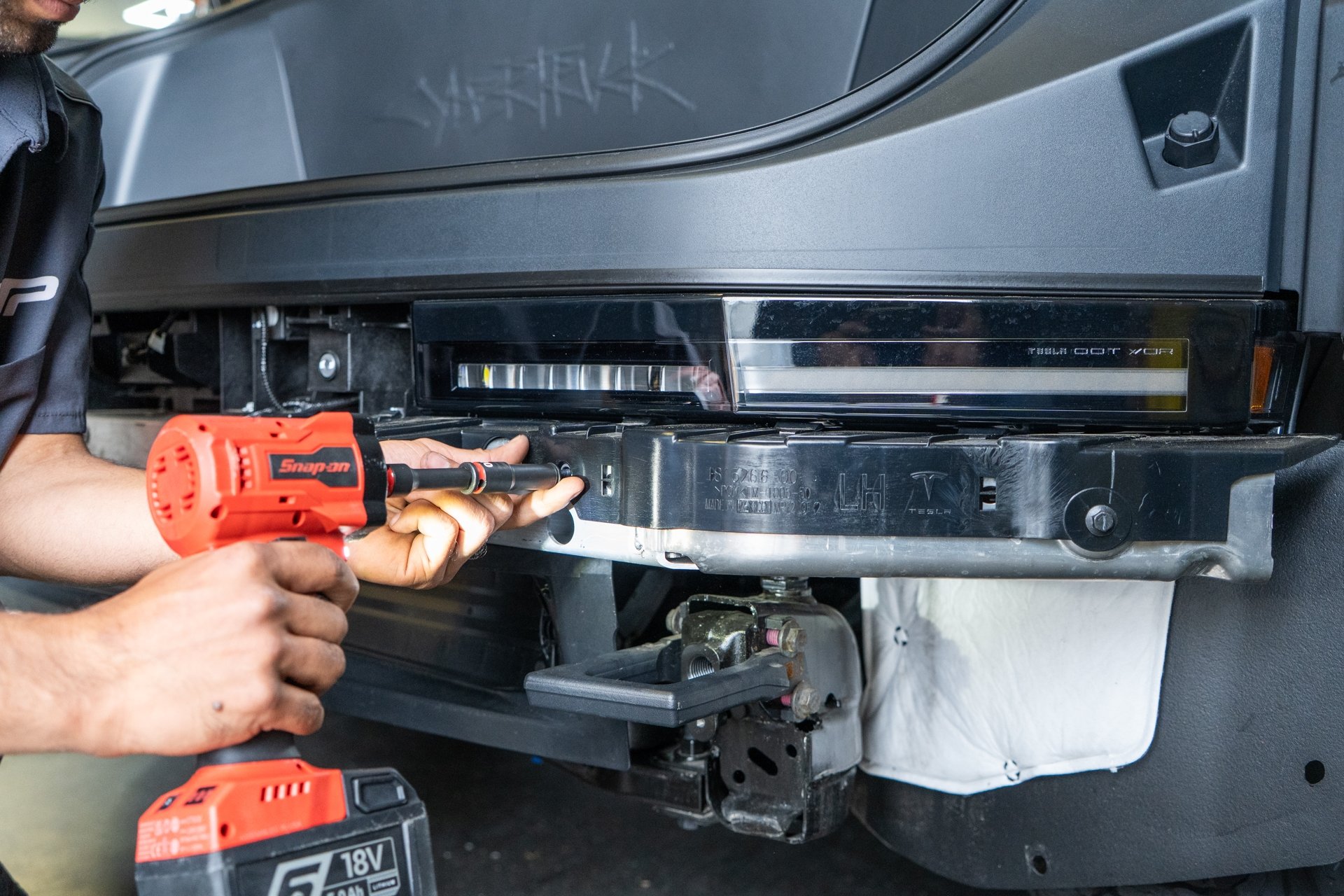
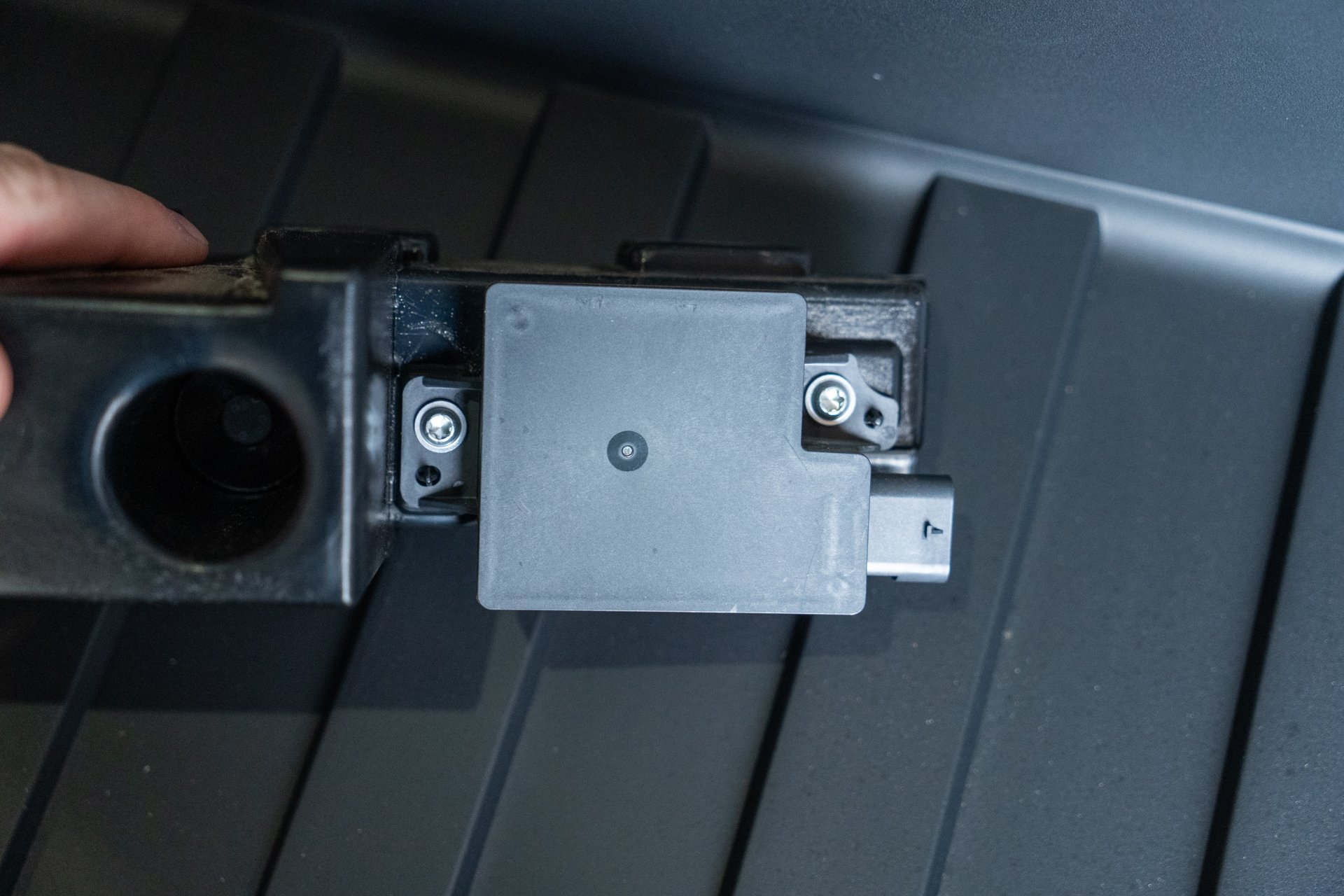
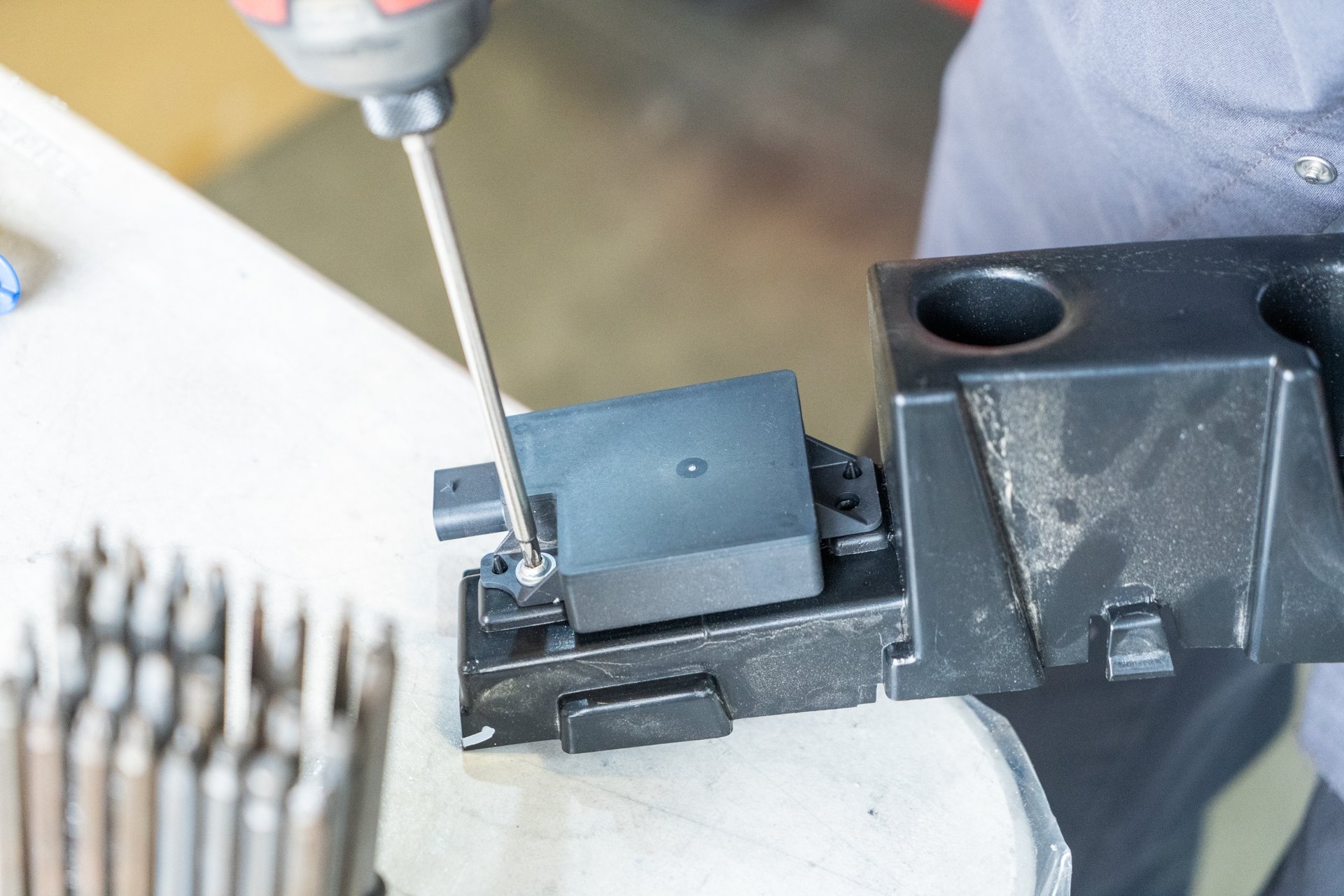
Using a T25, remove both bolts securing the Bluetooth sensor to the trim piece.
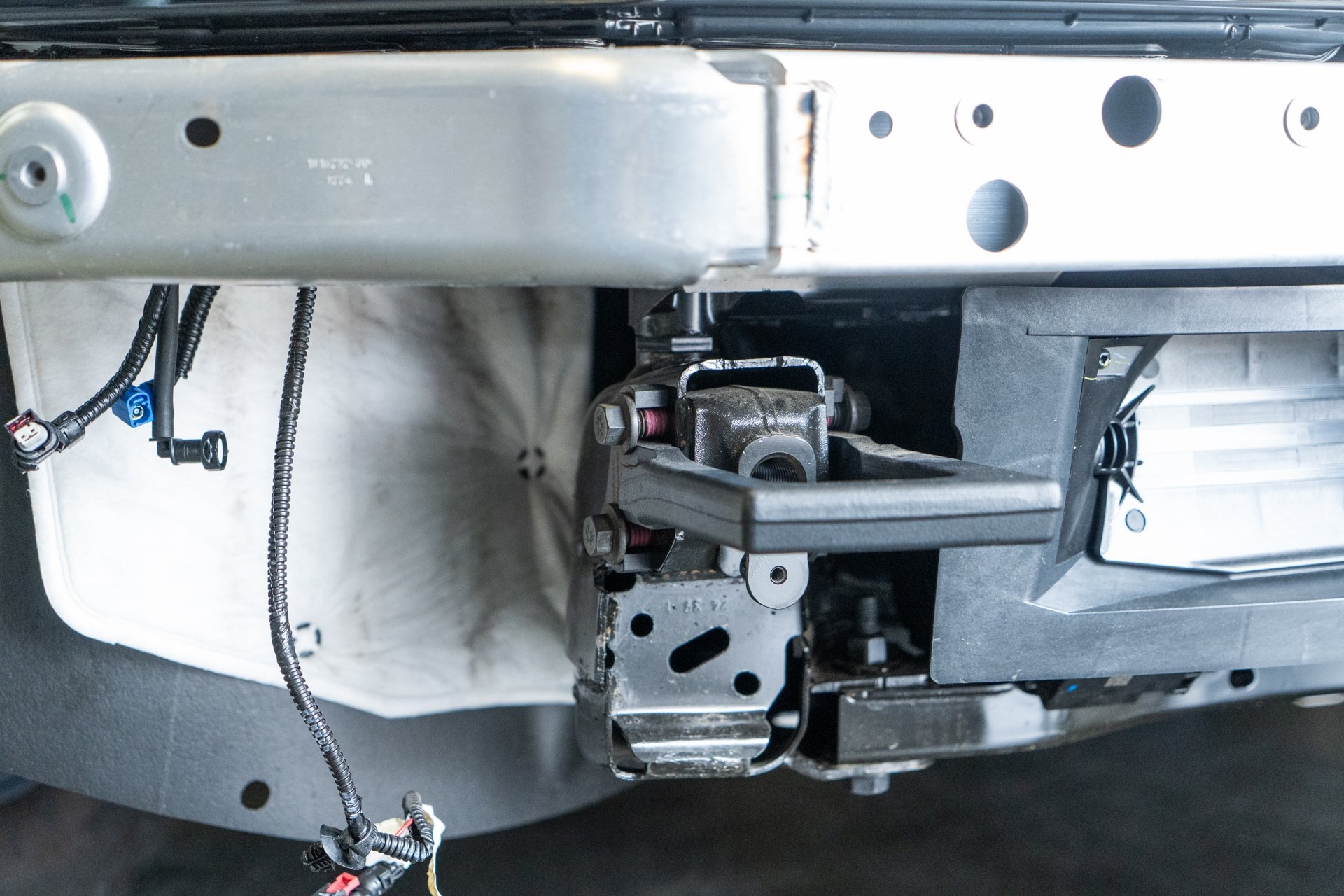
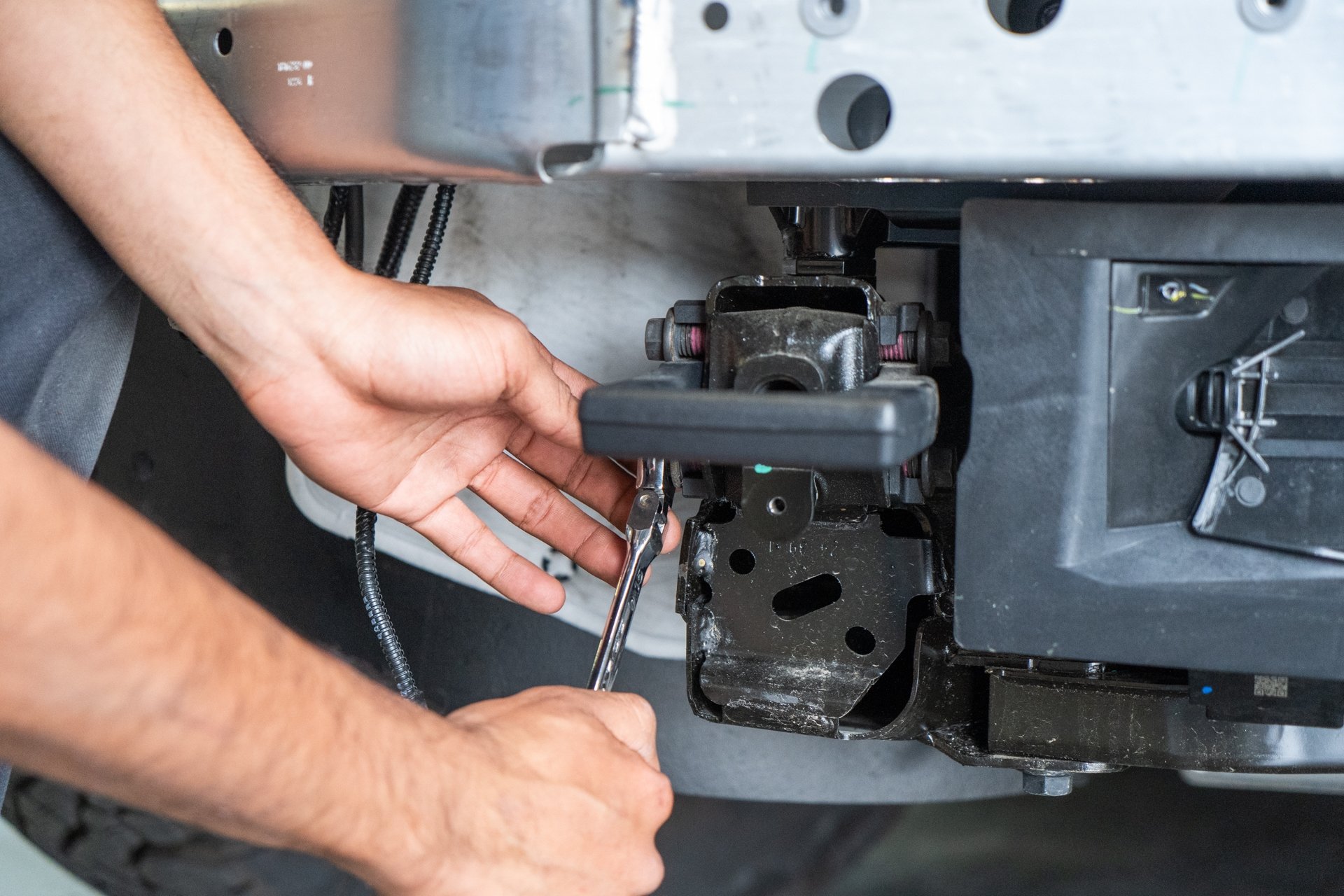
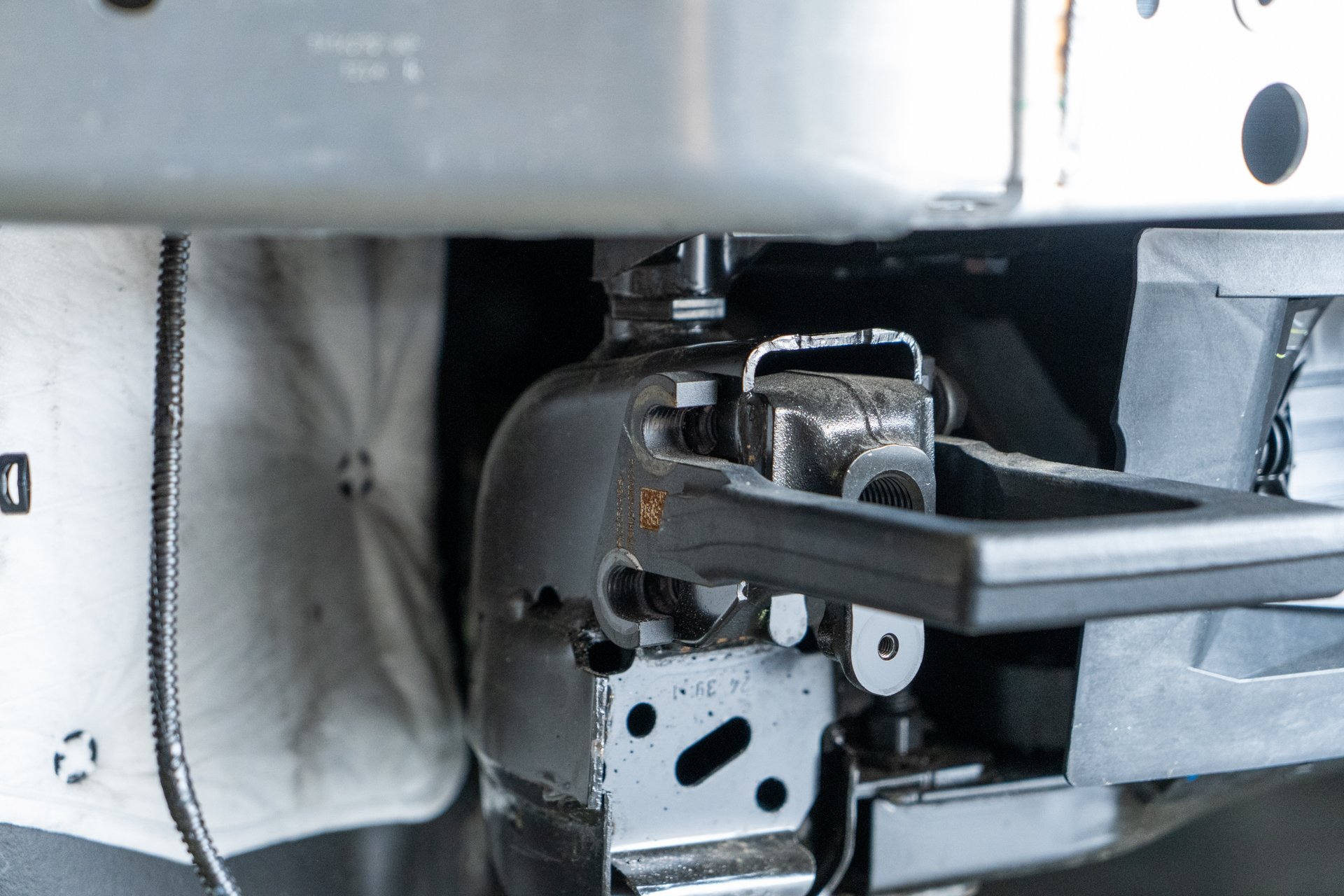
Next, using a 15mm socket, remove all 4 bolts securing each tow hook to the front of the vehicle. Once all 4 bolts have been removed, pull the hook away from the vehicle.


Next, using a 4mm allen key, fasten 2 M6x1.25 allen bolts and washers to secure the factory Bluetooth sensor to the provided sensor cover in the following orientation.


Using a 4mm Allen Key and a torque wrench, torque both bolts to 7ft/lbs.

No Puddle Lights ->
If you plan to use block off plates, finish the following task, then skip to step 10. If you plan to add UP puddle lights to your front bumper assembly, proceed to step 10.
Using the 2 provided 4mm allen bolts, 2 lock washers, and 2 10mm nuts, secure each provided block off plate to the bumper in the following orientation hardware to fasten the provided block off plates to the UP INVINCIBLE front bumper.


Puddle Lights ->
If you plan to use UP INVINVIBLE puddle lights with your UP INVINCIBLE front bumper, you’ll want to verify that these work properly prior to mounting the front bumper to the vehicle. This function test utilizes factory power access points, and is intended to be controlled using the factory on-screen menus.
Using a 10mm socket, remove all bolts securing the front tub assembly to the vehicle.
Using a 24mm socket, remove the retainer bumpers securing the front trunk assembly to the vehicle.
Remove the front trunk tub assembly from the vehicle.
Once the front trunk assembly has been removed, locate the factory front trunk power assembly cable assembly located near the passenger side of the front radiator.

Remove the tesa tape covering the lead ends as shown below.

Identify the 3-pin pigtail connector as shown on the right side of the photo below.

Using a set of wire strippers, expose the lead end of the black and red wires on both the factory power cable assembly, as well as the provided 3-pin pigtail as shown below.

Match the following cable colors as follows. RED->RED and BROWN->BLACK. The green cables are a LIN control, an option that may be used to integrate alternate aftermarket lighting control configurations. Note that cable crimps are not included with this product.

Next, you can connect the 3-pin pigtail to the bus connector shown on the left side of the following photo.


Next, route the puddle light cable through the following access points on each side of the vehicle. There is an access point for each puddle light cable assembly located between the factory crash beam and the front fender liners.

Secure each cable to the bos connector. Note that only 2 of the 3 bus connectors will be used for this installation. The additional bus connector is intended to be used with additional lighting alternatives in the UP INVINCIBLE product lineup.


Now that the puddle lights have been properly connected to factory power, navigate to the on-screen menu and select the vehicle icon on the bottom left of the screen. Note that the puddle lights must be facing in a safe direction to mitigate any harm from light concentrated exposure.

Next, select “Outlets & Mods”

Next, select “Power Feed – Frunk”


You should see confirmation from the lights. If you do not see a response from the lights, reach out to the support team at support@unpluggedperformance.com for further information. Once the test is complete, be sure to turn off “Power Feed – Frunk”.

Once the lighting function has been validated, you can proceed to clean up your cable connections as shown in the example below.


Using a 4mm allen key, fasten 2 provided M8x1.25 bolts and washers to secure the flood lights to the UP invincible front bumper in the following orientation.

Using a 4mm allen socket and a torque wrench, torque the flood light bolts to 10ft/lbs.

Using a T25 torx bit, remove the 3 bolts securing the factory front speaker to the factory front bumper cover.

Using a pry tool, disconnect the accessory wiring harness and hose retainer clips from the factory bumper cover.


Using a pry tool, disengage all 6 clips securing the cover behind the front license plate mount and remove it from the front bumper cover in order to access the front camera.


Using a clip removal tool, disconnect both cables and hose from the front camera assembly.


Using a T8 torx bit, remove the retainer bolt securing the factory camera jet to the factory front bumper cover. Remove the water jet insert.


Using a T20, remove 2 retainer bolt securing the front camera cover to the front bumper cover.


With the camera cover removed, using a T8, remove the 2 bolts securing the front camera to the front bumper cover. Proceed to remove the camera with caution as the cables fixed to the camera housing are extremely delicate.

Using a T10, fasten 4 provided tapered bolts to secure the Bluetooth sensor cover to the UP invincible bumper.


Using a T10 and a torque wrench, torque these bolts to 3ft/lbs.

Using a T8, fasten 2 factory bolts to secure the camera to the UP camera housing.


Using a T8, fasten 1 factory bolt to secure the factory jet to the UP camera housing. Torque to 3 ft/lbs.


Using a T10 torx bit, fasten 4 tapered bolts to secure the UP camera housing to the UP invincible front bumper.

Using a 4mm allen key and torque wrench, torque each bolt to 8 ft/lbs.


Next, transfer and secure the front factory accessory cables and hose to the UP invincible front bumper.


Using a 3mm allen key and an 8mm socket to counter hold, fasten 3 provided bolts and nuts to secure the front speaker to the front speaker bracket.


Using a 4mm allen key, fasten 3 provided bolts to secure the front speaker bracket to the UP Invincible front bumper. Torque to 8 ft/lbs.


Using a 10mm end wrench, fasten each front grill bracket to the up invincible front bumper using provided locking nuts. (8 brackets total) Do not apply final torque until the grill has been fitted to the bumper.


Using a 4mm allen key, fasten 8 M6x1.25 bolts and lock washers to secure the UP grill to the grill brackets.


Now that the front grill has been fastened to the bumper brackets, using a 10mm socket and a torque wrench, torque the locknuts securing the grill brackets to the front bumper to 8 ft/lbs.Next, torque the locknuts securing the grill brackets to the front bumper to 8 ft/lbs.

Using a 10mm socket, fasten 2 m6x1.25 lock nuts to secure the fender liner brackets to the bumper. These are location specific, so be sure the cutaway section is facing upward as shown below.

Using a 10mm socket and torque wrench, torque nuts to 10ft/lbs.

Next, using a 5mm allen key, fasten 4 provided M8x1.25 bolts and lock washers to secure the loop mounts to the UP Invincible bumper. Torque to 12 ft/lbs.


Using a 5mm allen key, fasten 8 bolts to secure the up invincible splash guard to the up invincible bumper. Do not apply final torque until later on. For now, just hand thread these bolts to ensure the splash guard and bumper are secured in order to be mounted to the vehicle.


Using a 15mm end wrench, fasten 4 factory tow hook bolts to secure each UP INVINCIBLE bumper mounts to the vehicle.


Using a 15mm socket, torque all 4 bolts on each UP INVINCIBLE bumper mount to 57 ft/lbs.

Using 2 people, slide the UP invincible bumper over the up invincible bumper mounts as shown below. Be sure to clear all wiring harnesses out of the way to mitigate damages. You may use the UP INVINCIBLE front bumper mounts to guide the UP INVINCIBLE bumper onto the vehicle.


Resecure the factory camera power line and hose to the water jet and camera housing. Once done, slide the front bumper toward the vehicle for proper fitment and to release pressure from the camera power cable.


Next, plug the front speaker into the factory wiring harnesses near the passenger side fender liner.

Next, secure the UP Invincible front bumper to the up invincible front bumper mounts using the provided 19mm hex bolts, lock washers, and nuts.


While someone maneuvers the bumper, add shims to fill in the gaps between the up invincible bumper mounts and the UP Invincible bumper.


Using a 19mm socket with a torque wrench, and a 19mm end wrench to counter hold, torque all 4 bolts on each UP INVINCIBLE bumper mount to 57 ft/lbs.

Using a 4mm allen key, fasten 4 provided bolts, washers, and spacers to secure the back side of the splash guard to the mid panel in the following orientation. Be sure to place the taller spacers on the outside with the 2x 45mm bolts, and the shorter spacers on the inside with the 2x 30mm bolts.


Next, using a 5mm allen key, a 4mm allen key, and a torque wrench, torque all splash guard hardware to 5ft/lbs.


Using a 4mm allen key, fasten 4 bolts and washers to secure each fender liner to the UP Invincible front bumper. Torque to 7 ft/lbs.


Using a 10mm socket and torque wrench, secure the supplied left hand and right hand brackets to the crash bar in the following locations using the factory hardware. Torque to 7 ft/lbs.


Now that the latch release housing alignment tabs have been installed, secure the latch release button to the factory power cable.


Next, align the top 4 retainer tabs on the latch release housing, and press them into place. Ensure the bottom tabs seat into the provided alignment tabs.


